How to Reduce Documentation Time in Agile Teams
Cut documentation overhead in Agile teams with AI: auto-transcribe meetings, generate Jira tickets, update code docs, and reclaim developer time.
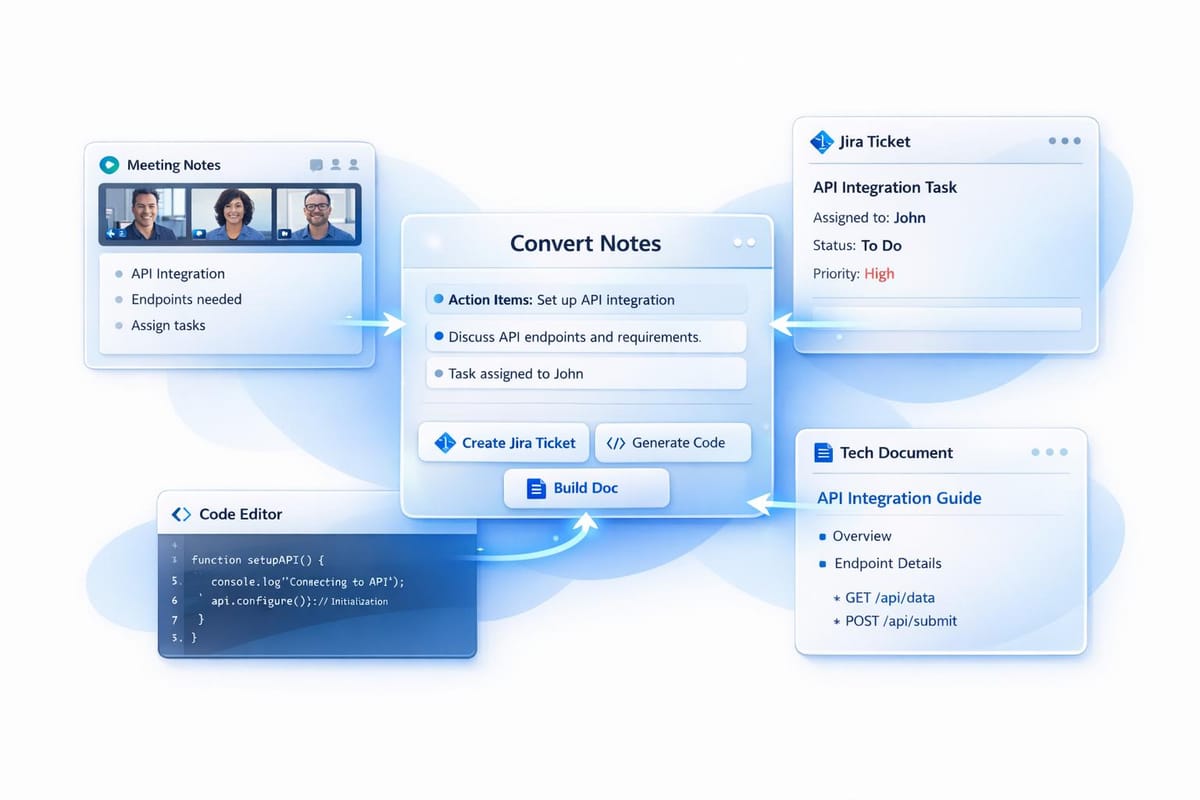
Agile teams often lose valuable time to documentation, with developers spending up to 33% of their day on it. This slows innovation, delays feature releases by 18%, and costs teams both time and money. Poor documentation forces 62% of developers to spend over 30 minutes daily searching for answers, and outdated or incomplete records create inefficiencies.
AI tools like Echother are solving this by automating documentation tasks, such as meeting transcription, ticket creation, and codebase updates. These tools save time, reduce errors, and improve productivity. For example, AI-powered solutions can cut code documentation time by 59%, save a 10-person team 4,500 hours annually, and reduce sprint planning overhead by 35%. Developers can focus on coding while AI handles repetitive tasks.
Key benefits of AI-driven documentation include:
- Faster documentation: Automates meeting notes, Jira tickets, and code updates.
- Improved accuracy: Reduces human errors with consistent, standardized outputs.
- Time savings: Saves teams hours weekly, boosting productivity by 12–16%.
- Enhanced collaboration: Centralizes and organizes knowledge for easy access.
AI Agents for Jira | AI Agents for Agile Tools and Product Managers
Documentation Challenges in Agile Teams
Agile teams juggle a wide range of documentation tasks daily, often stretching their capacity to the limit. Their workload includes user stories, acceptance criteria, technical specifications, API documentation, architectural diagrams, sprint notes, meeting minutes, "Definition of Done" checklists, and performance metrics like DORA metrics[5][6][8]. This constant need for documentation eats into productivity - teams can lose up to 10% of their sprint capacity just managing administrative tasks[7]. Let’s dig into the specific challenges that create this strain.
Types of Documentation Overhead
The sheer variety of documentation required in Agile workflows often slows teams down. Keeping everything - from user stories and acceptance criteria to meeting minutes and technical specs - up-to-date is a daunting task, especially when code evolves rapidly. For example, Product Owners spend countless hours manually grooming backlogs, while estimation methods like "Planning Poker" can spiral into lengthy, unresolved discussions[7]. It’s no wonder 71% of teams are reevaluating their documentation processes[5]. Clearly, the current approach isn’t cutting it.
How Manual Documentation Reduces Productivity
The problem isn’t just the quantity of documentation - it’s also the reliance on manual processes. Manual note-taking forces teams to choose between fully engaging in discussions or keeping accurate records, often leading to inconsistent documentation and delayed follow-ups[1][3]. This adds to the cognitive load, making documentation feel like a chore that distracts from actual coding. Traditional methods, such as periodic manual reviews and static reports, are reactive rather than proactive. Risks often go unnoticed until they’ve already disrupted the sprint. On the other hand, organizations using AI-assisted tools have reported a 35% reduction in planning overhead[7], demonstrating how much time manual processes waste.
Costs of Incomplete or Unclear Documentation
The consequences of poor documentation go beyond wasted time - they can significantly derail projects. For instance, 47% of digital workers struggle to find the information they need to do their jobs effectively[11]. When critical architectural decisions aren’t documented, knowledge silos form. If key team members leave, their undocumented expertise leaves with them, potentially jeopardizing entire projects[5]. In fast-paced Agile environments, documentation often lags behind code changes, leading to outdated or unreliable information that misguides teams[5].
"The cognitive burden of trying to remember and reconstruct past decisions pulls focus from forward-looking work." – Notion[12]
Inefficient documentation doesn’t just waste time; it creates ripple effects that hinder progress. Teams face missed deadlines, unclear task ownership, and misaligned expectations among stakeholders. New team members struggle to ramp up when documentation is fragmented or incomplete. Scattered notes - spread across personal files, emails, and various apps - make institutional knowledge hard to access. This forces teams to repeatedly answer the same questions instead of focusing on moving projects forward[10].
Using AI Tools to Automate Agile Documentation
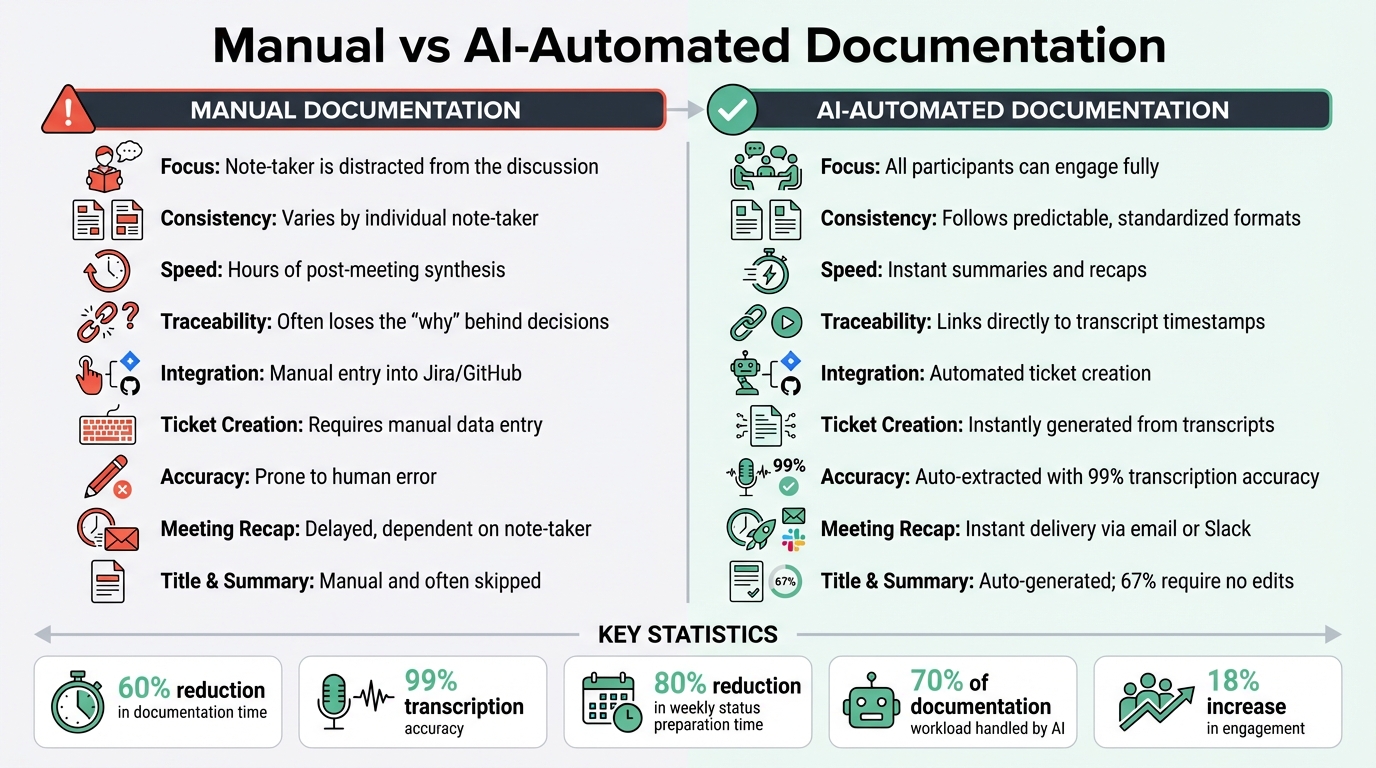
Manual vs AI-Automated Documentation: Time Savings and Efficiency Comparison
AI tools are changing the game when it comes to managing agile documentation. By automating tasks like capturing meeting content and analyzing code insights, these tools create an instantly searchable archive of decisions and action items. This means less time spent on manual documentation and more time focusing on development.
Automated Meeting Transcription and Analysis
AI transcription tools can record every word spoken in a meeting with incredible precision - up to 99% accuracy. Platforms like Echother work seamlessly with services such as Google Meet, Zoom, and Microsoft Teams to automatically identify key decisions, action items, and technical requirements. Unlike traditional note-taking, where individual interpretation can vary, AI ensures consistency by applying standardized criteria to extract actionable insights.
"AI is not just about automation; it's about alignment. It bridges the gap between what we discuss in meetings and what we deliver" – Muhammad Samiullah, Solution Engineer at Mazik Global [13].
A real-world example? In November 2025, Samiullah's team turned a 40-page workshop transcript into a concise, two-page blueprint. By formatting requirements as "Who/What/Why", they reduced hours of manual backlog grooming to just minutes. This approach ensured every development task could be traced back to the original discussion [13]. Teams can even search transcripts by keywords, speaker names, or timestamps, making every meeting a permanent, searchable knowledge base.
Once accurate transcription is complete, the next step is turning these insights into actionable development items.
Converting Meetings into Development Tickets
Echother goes a step further by transforming meeting transcripts into structured development tickets. These tickets include user stories, technical specifications, and acceptance criteria. The tool identifies major themes and converts them directly into GitHub Issues or JIRA work items, complete with the necessary context and traceability [13][14].
The time savings are impressive. AI-assisted workflows can cut weekly status preparation time by as much as 80% [15]. On average, AI handles about 70% of the documentation workload, leaving teams to focus on the final 30% - adding domain-specific context and conducting reviews [13].
But AI's capabilities don’t stop at meetings. It extends its automation into the code itself, keeping documentation up to date as development progresses.
Codebase-Aware Documentation Generation
Echother integrates directly with repositories like GitHub, analyzing file structures, commit histories, and code logic to create documentation that matches the real implementation. This repository-aware intelligence generates architectural overviews, component relationship maps, and API references that stay synchronized with the codebase. When developers push new commits, webhook triggers ensure the documentation is automatically updated, keeping it aligned with the latest development practices [4].
| Feature | Manual Documentation | AI-Automated Documentation |
|---|---|---|
| Focus | Note-taker is distracted from the discussion | All participants can engage fully |
| Consistency | Varies by individual note-taker | Follows predictable, standardized formats |
| Speed | Hours of post-meeting synthesis | Instant summaries and recaps |
| Traceability | Often loses the "why" behind decisions | Links directly to transcript timestamps |
| Integration | Manual entry into Jira/GitHub | Automated ticket creation |
Integrating Echother into Agile Workflows
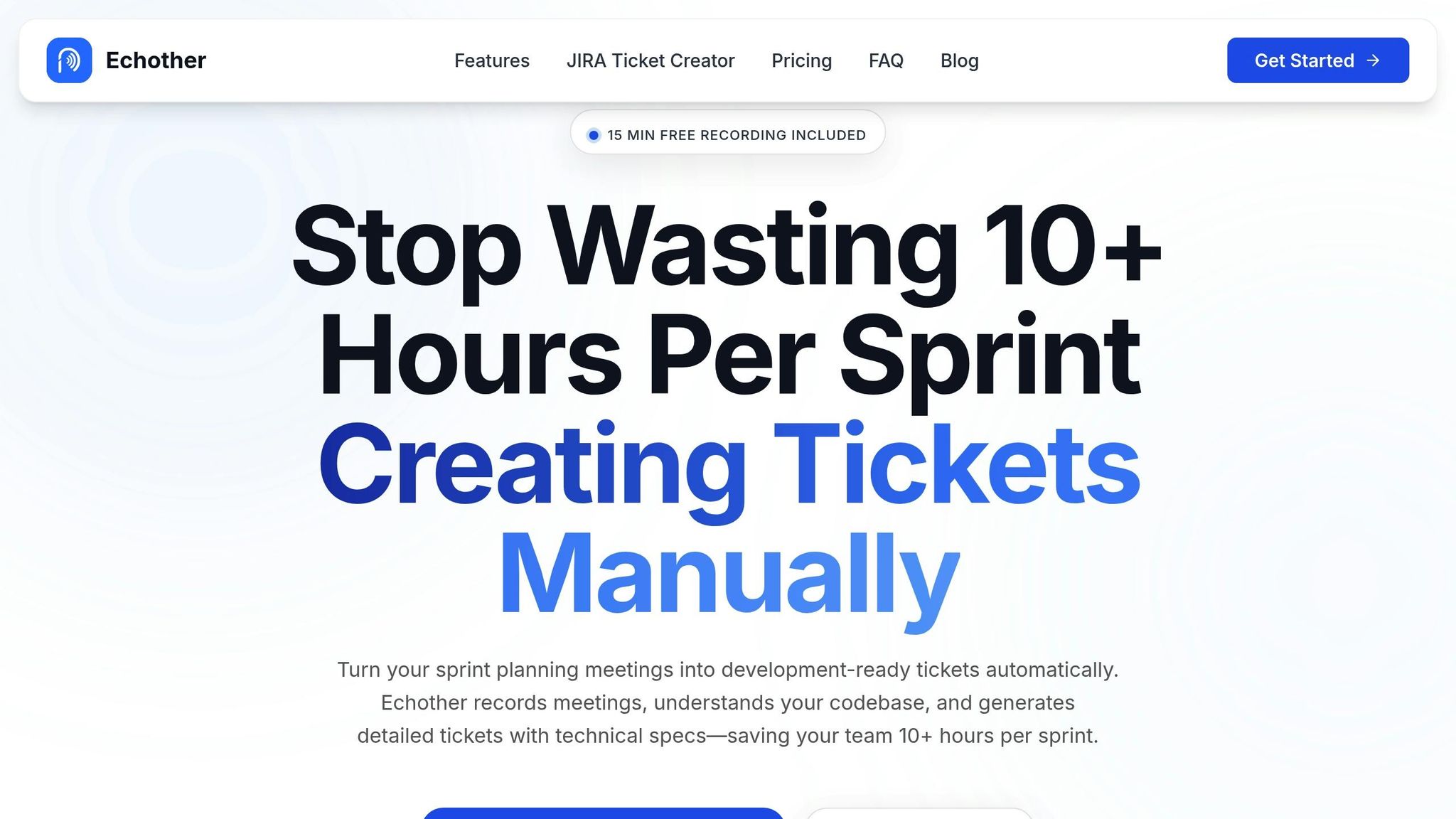
Echother seamlessly integrates with your everyday tools, operating quietly in the background to capture decisions, create tickets, and keep documentation up to date. This cuts down on the time teams typically spend on manual documentation, freeing up hours for more productive tasks.
Connecting Echother with Development Tools
Echother enhances workflow efficiency by connecting with tools you already use:
- Calendar and Video Conferencing: Link your Google or Outlook calendar to enable Auto Record for meetings. Connect platforms like Zoom, Google Meet, or Microsoft Teams so Echother can join as an AI notetaker [3][19].
- Jira Integration: Automatically sync meeting transcripts to Jira, creating issues and sub-tasks with pre-filled ticket details [17][18].
- GitHub Integration: Open pull requests directly from Echother, complete with auto-filled titles, descriptions, and notes from code reviews for context [16][18].
- Trello Integration: Send action items from meetings to Trello with a single click using the "Send to Trello" button [19].
You can set default destinations - such as specific Jira projects, Confluence spaces, or GitHub repositories - so documentation is routed to the right place without any extra steps [19].
These integrations not only simplify tool usage but also lay the groundwork for automating documentation during Agile ceremonies.
Automating Documentation for Agile Ceremonies
Echother transforms how Agile ceremonies like sprint planning, daily standups, and retrospectives are documented. For sprint planning, it records discussions and converts them into structured Jira tickets, complete with user stories, technical specs, and acceptance criteria - saving valuable development time.
Daily standups, especially for distributed teams, become more efficient with asynchronous updates. Echother collects status reports and flags blockers automatically [21], removing the need for scheduling calls or repetitive updates. Retrospectives also gain an edge with instant recaps shared via email or Slack, while action items are assigned automatically using @mentions in Confluence or Trello [3][19].
In-meeting commands like /stop send recaps instantly, while /pause excludes sensitive topics from final documentation [19].
Manual vs. Automated Documentation: A Comparison
Let’s break down how Echother’s automation compares to traditional manual documentation:
| Aspect | Manual Documentation | Echother Automation |
|---|---|---|
| Ticket Creation | Requires manual data entry | Instantly generated from transcripts [17][18] |
| Accuracy of Action Items | Prone to human error | Auto-extracted with 99% transcription accuracy [3] |
| Meeting Recap Distribution | Delayed, dependent on note-taker | Instant delivery via email or Slack [19] |
| Title & Summary Creation | Manual and often skipped | Auto-generated; 67% require no edits [17] |
| Integration with Dev Tools | Manual copy-pasting | One-click sync with full context [18][17] |
With 72% of meetings deemed ineffective [20], Echother helps teams save time by automating documentation, cutting the process by 60%. Plus, AI-generated summaries and chapters increase engagement by 18% [17].
Measuring Time Savings from Automated Documentation
Integrating AI into your workflow is just the beginning. To truly understand its impact, you need to measure how much time your team is saving and identify areas for further improvement. Tracking the right metrics is key.
Metrics to Track for Agile Teams
Start by keeping an eye on the time spent on documentation tasks - this includes drafting technical documents, meeting notes, and tickets. AI-assisted teams often cut this time in half compared to manual methods [2]. Monitoring this metric across sprints helps reveal consistent trends.
Another important metric is content velocity, which measures how quickly documentation is updated after a feature release. A faster turnaround ensures your documentation stays relevant and doesn’t slow down development [22]. Pay attention to first-hit search success as well - this tracks how often team members find the information they need on the first try. Improved documentation reduces wasted time spent searching for answers.
Also, monitor the reduction in Tier 1 support tickets, particularly repetitive "how-to" inquiries that good documentation should address [22]. Finally, track meeting-to-ticket conversion time, which measures how quickly sprint discussions are turned into actionable Jira tickets.
By focusing on these metrics, you’ll establish a baseline to measure efficiency gains and identify areas for refinement.
Steps to Measure Documentation Efficiency
Before rolling out AI tools like Echother, establish a baseline. Over 8–12 weeks, record data on documentation hours, support ticket volume, and time spent searching for answers. This is crucial since 62% of developers spend more than 30 minutes daily looking for solutions to poorly documented issues [2].
Run a pilot program with a small group, such as product managers or a single development team. For example, in August 2024, Jamil Valliani, Atlassian's Head of Product for AI, led a similar initiative. The results were striking: 88% of participants saved at least one hour per week, and 94% felt more confident using AI tools [24]. After several sprints, compare the new metrics to your baseline to quantify the time saved.
"Measuring the success of AI implementation requires a multi-faceted and adaptable framework. Incorporating qualitative and quantitative analytics and feedback can help you understand AI's impact holistically."
- Jamil Valliani, Head of Product, AI, Atlassian [24]
To calculate the financial impact, use the formula: Hours Saved × Hourly Cost. For instance, a team of 50 developers reducing rework by just 5% could save over $375,000 annually [2]. These savings highlight the tangible benefits of AI-driven automation.
Establishing Consistent AI Tool Usage Across Teams
Long-term success with AI tools like Echother depends on consistent usage across your teams. Set clear guidelines for when and how to use the tool - decide which meetings to record, how to structure AI-generated tickets, and where to store documentation. Teams with well-documented goals have been shown to be 20% more productive [23].
Encourage collaboration by creating a dedicated Slack or Teams channel for sharing tips, troubleshooting, and celebrating successes with Echother. Short video tutorials can also help demonstrate key features. To build habits, consider rituals like starting every sprint planning session with Echother recording and ending with a review of auto-generated tickets.
Adoption rates are another critical metric. Aim for 90% of your team regularly using AI tools within the first quarter [24]. High adoption ensures consistent time savings and integrates documentation seamlessly into your workflow.
Conclusion
Documentation doesn't have to be a bottleneck for your team. With Echother, the tedious tasks of recording meeting notes, generating tickets, and updating technical documentation can be automated, giving Agile teams back valuable time. In fact, teams have reported a 70% reduction in time spent on routine documentation and a 12–16% increase in overall productivity [9].
But it’s not just about saving time - automation also improves accuracy. When AI takes over note-taking, developers can stay focused on problem-solving. Every meeting becomes a searchable record, effortlessly transforming discussions into actionable items with the necessary technical context.
"The very act of trying to preserve knowledge prevents us from creating it in the first place." - Notion [12]
Most teams experience noticeable results within just 2 to 8 weeks of using Echother [9]. Start small - try recording your next sprint planning session. You’ll quickly see how those conversations turn into production-ready tickets, shifting the burden of documentation from manual effort to seamless automation. These changes don't just save time - they drive long-term productivity and elevate the quality of your team's output.
Why choose between participating in meetings and documenting them? Let Echother handle the grunt work so your team can focus on what truly matters: building exceptional software.
FAQs
How does Echother help Agile teams save time on documentation?
Echother uses AI-driven tools to make documentation tasks faster and easier for Agile teams. By analyzing meeting transcripts, code snippets, and sprint artifacts, it can automatically produce clear documentation, craft detailed ticket descriptions, and update knowledge bases that sync with repositories. This means teams can skip the tedious hours of manual writing.
With Echother, Agile teams can dedicate more time to development and collaboration, while ensuring their documentation stays accurate, consistent, and ready to go in just minutes.
What documentation tasks can AI automate most effectively in Agile teams?
AI tools excel at taking over repetitive and time-consuming documentation tasks, making Agile workflows smoother and more efficient. Take sprint planning, stand-ups, or retrospectives, for example - AI can transcribe meetings in real-time, pull out key decisions, and organize actionable items into concise, shareable summaries. This not only saves the team from the hassle of manual note-taking but also ensures everyone stays on the same page with minimal effort.
When it comes to development, AI steps up by creating and maintaining code documentation like inline comments, docstrings, and API references directly from the source code. It can also transform lists into Markdown tables, polish UI messages for better clarity, and even draft outlines for tutorials or guides. By automating these tasks, teams can spend less time managing documentation and more time delivering meaningful results, all while keeping their records accurate and up-to-date.
How does using automated documentation improve team productivity and collaboration?
Automated documentation takes the hassle out of manual, repetitive tasks by using AI-powered tools like transcription, natural language generation, and code-aware systems. It handles tasks such as capturing meeting notes, drafting ticket descriptions, and pulling API details straight from the source code. This means teams can spend less time on documentation and more time on creating and improving features, leading to a noticeable boost in productivity and smoother workflows.
Another major advantage is how it keeps documentation perfectly aligned with the codebase in real time. This ensures everyone on the team has access to accurate and up-to-date information without the frustration of digging through outdated files. Plus, AI-generated summaries and contextual links simplify onboarding for new team members and help stakeholders grasp project requirements more easily. This enhanced clarity fosters better collaboration and smarter decision-making. In the end, automated documentation empowers Agile teams to work faster while staying organized and maintaining high-quality standards.