5 Best Meeting Automation Tools for Software Teams
Compare five meeting automation tools for software teams — features, integrations (Jira, GitHub, Slack), pricing, and best-fit use cases.
Managing meetings can be time-consuming for software teams, but meeting automation tools help handle scheduling, transcription, action items, and follow-ups. These tools integrate with platforms like Jira, GitHub, and Slack, saving time and boosting team productivity. Below are five tools tailored for software teams, highlighting their key features and pricing:
- Echother: AI-driven transcription, repository-aware ticket generation, and voice agent for querying codebases. Starts at $0 (free plan) or $20/user/month for the Team plan.
- Fellow: Offers meeting recaps, collaborative agendas, and Jira integration. Pricing begins at $7/user/month (annual).
- Avoma: Focuses on searchable meeting documentation and follow-up automation. Costs $19/user/month (annual).
- Fireflies: Provides transcription, "AskFred" AI assistant, and extensive app integrations. Starts at $10/user/month (annual).
- Sembly: Creates AI-powered meeting notes and integrates with Jira and Confluence. Pricing begins at $10/month for individuals.
Here’s a quick comparison of these tools to help you choose the right fit for your team.
Quick Comparison
| Tool | Key Features | Starting Price (USD) | Best For |
|---|---|---|---|
| Echother | Codebase-aware tickets, voice agent, diagrams | $0 (Free), $20/month | Developers managing repositories |
| Fellow | Recaps, agendas, privacy-focused | $7/user/month | Small to mid-sized teams |
| Avoma | Searchable docs, follow-up automation | $19/user/month | Teams needing detailed meeting insights |
| Fireflies | AI assistant, app integrations, task automation | $10/user/month | Growing teams with diverse workflows |
| Sembly | AI meeting notes, multilingual transcription | $10/month | Teams with global members or complex docs |
These tools simplify meeting management, save time, and ensure no details are missed. Choose the one that aligns with your team’s workflow and budget.
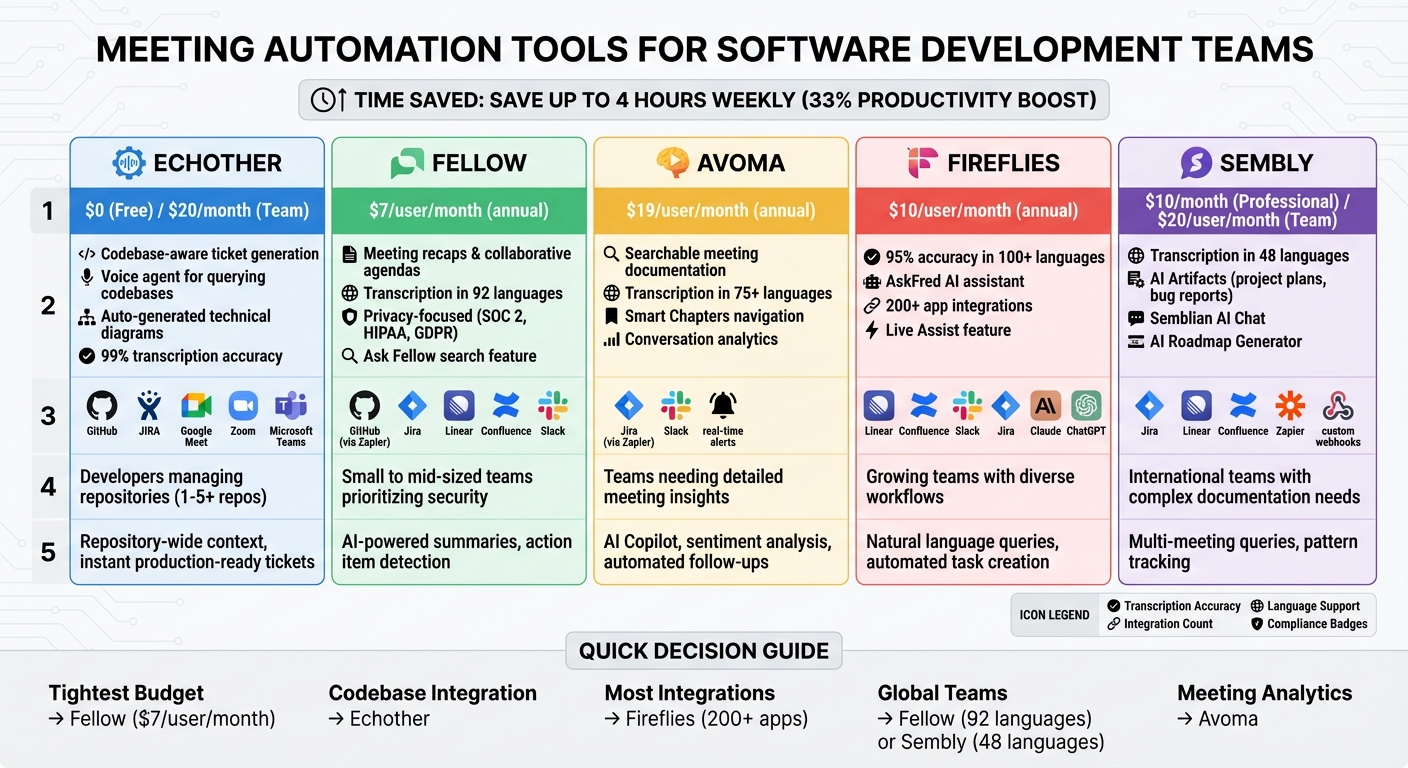
Meeting Automation Tools Comparison for Software Teams: Features, Pricing, and Integrations
1. Echother
Designed specifically for software teams, Echother shows how AI can simplify and streamline meeting processes to improve development workflows.
Echother is an AI-powered platform that joins meetings automatically, records conversations, and transforms discussions into actionable tickets. These tickets include technical details directly pulled from your codebase, making it a valuable tool for development teams.
AI-Powered Meeting Transcription and Summaries
Echother offers highly accurate real-time transcription, capturing essential technical details during sprint planning, standups, or retrospectives. It doesn’t just transcribe - it identifies key decisions, requirements, and action items. Plus, its voice agent allows teams to query the codebase mid-meeting, providing instant context when needed.
Integration with Development Tools
Echother works seamlessly with tools like GitHub, JIRA, Google Meet, Zoom, and Microsoft Teams. Its intelligence is repository-aware, meaning it can access code structure, dependencies, and architecture to generate precise, actionable tickets. The Team plan supports up to five repositories, ensuring discussions are directly converted into development tasks.
Actionable Follow-Ups
One of Echother’s standout features is its ability to automatically generate JIRA-ready tickets. These tickets include technical specifications, acceptance criteria, and relevant context, saving teams from the hassle of post-meeting documentation. It can also create technical diagrams and break down complex features into smaller, manageable tasks.
Pricing in USD for US-Based Software Teams
Echother offers several pricing options:
- Developer plan (Free): Includes 15 minutes of recording and one repository connection.
- Team plan ($20/month per seat): Offers 600 pooled minutes, 120 minutes of voice agent usage, connections to five repositories, and priority support.
- Enterprise plan (Custom pricing): Designed for larger teams, this plan includes unlimited repositories, advanced security features, and dedicated support.
2. Fellow
Building on Echother's focus on meeting automation, Fellow takes a different route by emphasizing detailed recaps and smooth integration with development tools.
Fellow is a meeting productivity tool designed to help software teams turn technical discussions into actionable tasks. It records and transcribes meetings across platforms like Zoom, Google Meet, Microsoft Teams, and Slack huddles, ensuring every team member stays aligned.
AI-Powered Meeting Transcription and Summaries
Fellow excels at creating concise recaps that include summaries, key decisions, and chaptered minutes. With transcription available in 92 languages [6], it's ideal for engineering teams spread across the globe. Its Ask Fellow feature allows developers to search through recordings and transcripts for specific technical information. As Sean Santschi, Product Leader at Motive, put it:
"I don't even have to join meetings. I can ask Fellow to take notes and I can catch up on what was talked about if I'm not able to join the call" [7].
Integration with Development Tools
Fellow seamlessly connects with tools like GitHub (via Zapier), Jira, and Linear to integrate action items into development workflows. For instance, it can automatically create GitHub issues complete with titles, descriptions, and assignees. Similarly, meeting notes can be turned into Jira issues or Linear tickets with a single click. The platform also supports bi-directional updates - when a developer closes a task in Jira, it's marked as complete in Fellow too. Additionally, teams can transfer meeting details to Confluence or Notion, keeping a centralized hub for project requirements and architectural decisions.
Actionable Follow-Ups
Fellow’s AI can detect action items during meetings and sync them directly with development tools. Johan Van Heerden, VP of Engineering at Nintex, shared his experience:
"We had one standing meeting, and now we're able to completely do it asynchronously thanks to Fellow" [8].
By using collaborative agendas and AI-generated recaps, engineering teams can move from frequent standing meetings to asynchronous updates, cutting down on meeting time while keeping everyone in the loop.
Pricing and Compliance
Fellow has received 5/5 stars from over 2,000 reviews, with users praising its user-friendly design and strong integrations [7]. It meets SOC 2 Type 2, HIPAA, and GDPR compliance standards and ensures user data is not used to train its AI models [7][8][9].
3. Avoma
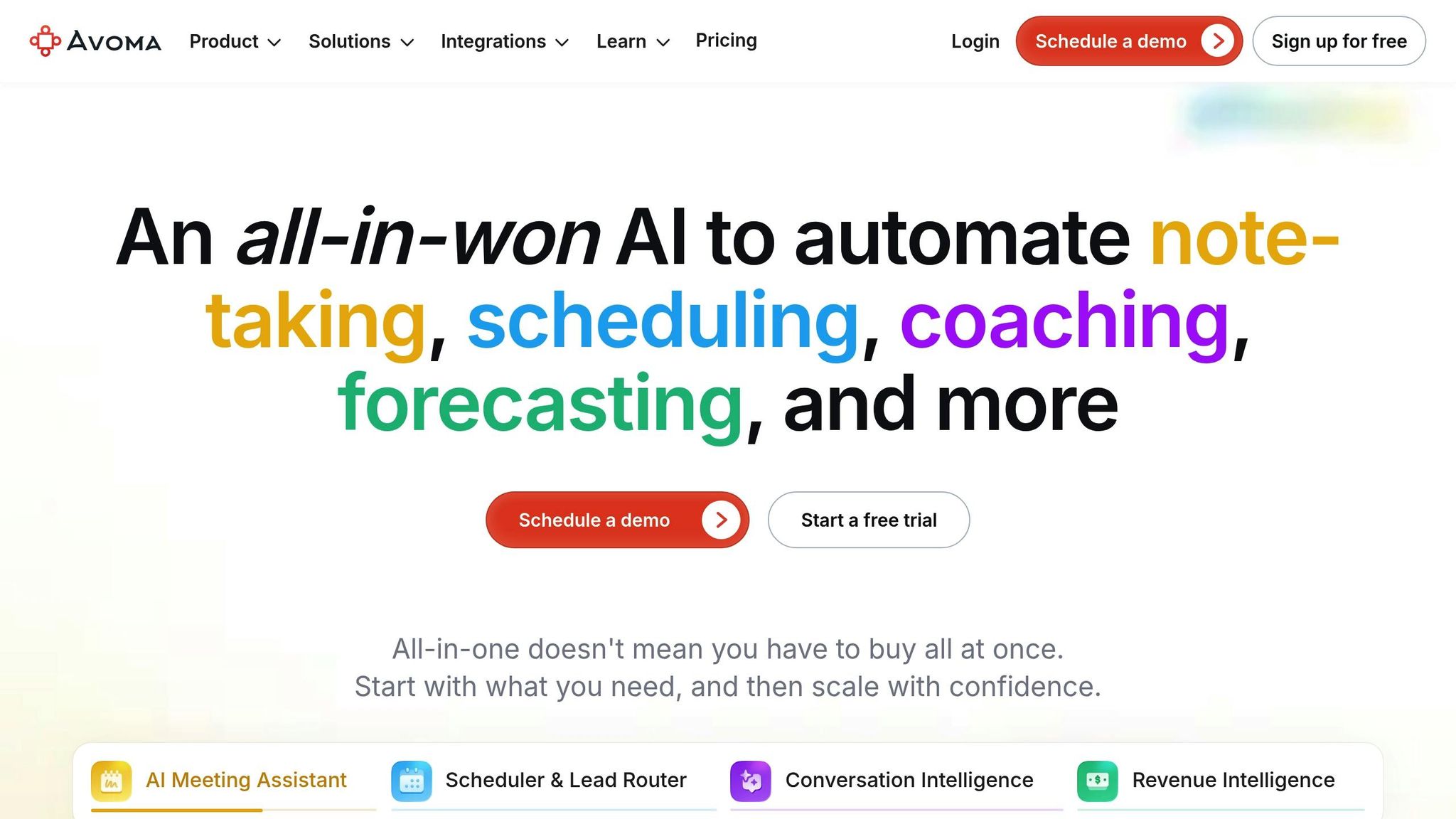
Avoma is making waves in the meeting automation space with its all-in-one approach. Unlike Fellow, which focuses on detailed recaps, Avoma acts as a meeting assistant that turns technical discussions into easily searchable documentation.
It’s designed to streamline daily standups, sprint planning, design reviews, and brainstorming sessions by automatically pulling updates so developers can quickly get up to speed on unresolved issues [10]. Aditya Kothadiya, Founder & CEO of Avoma, puts it best:
"When you meet with your team to strategize on deals, brainstorm product and design ideas... why should that information disappear into thin air once the meeting is over?" [10]
AI-Powered Meeting Transcription and Summaries
Avoma offers real-time transcription in over 75 languages, creating a searchable knowledge base from your meetings [13][14]. Its generative AI produces bulleted summaries sorted into categories like "Business Need", "Pain Points", and "Next Steps" [11][12]. With Smart Chapters, you can skip straight to the topics you care about without having to rewatch the entire meeting [13][14].
The Avoma AI Copilot takes it a step further by answering questions about meeting content, helping you make decisions without diving back into recordings [13][14]. This feature alone can save users 10 to 15 minutes per meeting, and software teams typically reclaim over 4 hours per week by automating notes and follow-up tasks [13][14].
Actionable Follow-Ups
Avoma doesn’t stop at transcription - it drafts follow-up emails that recap meetings and outline next steps to keep projects on track [13][14]. It even allows you to report bugs or submit feature requests directly through its interface as part of meeting follow-ups [10]. Plus, you can set up real-time Slack alerts for specific keywords like competitor names or technical challenges mentioned during discussions [12].
Pricing in USD for US-Based Software Teams
Avoma’s pricing model is simple: you only pay for "Recorder" seats - users who need to record and transcribe meetings. Everyone else, including those who view recordings or comment on notes, can access the platform for free [10]. The Lite plan is priced at $20 per user per month (billed annually) or $25 per user per month (billed monthly), making it an ideal choice for internal teams like Engineering and Product Management [10]. Recorder seats are assigned to meeting hosts, while free viewer seats allow others to access transcripts and action items without additional costs [10]. This setup is perfect for software teams looking to streamline their workflows without breaking the budget.
4. Fireflies
Fireflies takes meeting automation to the next level, offering software teams a powerful toolset for transcription, integration, and actionable insights.
With 95% transcription accuracy across more than 100 languages, Fireflies ensures precise documentation of technical discussions. Its Speaker ID feature identifies who said what during meetings like sprint planning, making it easier to track contributions and technical details.
AI-Powered Meeting Transcription and Summaries
The AskFred AI assistant allows engineers to quickly access past discussions using natural language commands, such as "What were the API requirements mentioned?" or "Summarize the bug report discussed." Instead of combing through hours of recordings, teams can instantly locate key information. Fireflies also generates concise bullet-point summaries, complete with action items and personalized notes, so teams can review sprint retrospectives without rewatching entire meetings.
Integration with Development Tools
Fireflies seamlessly integrates with essential development tools. It syncs with Linear to convert meeting notes into actionable tasks, Confluence for streamlined documentation, and Slack for instant notifications. Additionally, its MCP (Model Context Protocol) Server delivers meeting insights directly into AI tools like Claude, Devin, and ChatGPT. This means engineers can reference meeting context while coding or debugging without needing to jump between platforms. These integrations make it easier to incorporate meeting outputs into the development workflow.
Actionable Follow-Ups
Fireflies ensures meeting insights directly contribute to project progress. The platform automates workflows by creating tasks in project management tools and assigning action items in real time. Its Live Assist feature offers on-the-spot suggestions during calls, and actionable next steps are sent via chat just five minutes before the meeting wraps up. This keeps deliverables front and center.
Pricing in USD for US-Based Software Teams
Fireflies offers several pricing tiers tailored to different needs:
- Free plan: Includes 800 minutes of storage and limited AI summaries.
- Pro plan: Priced at $10 per seat per month (billed annually) or $18 per seat per month (billed monthly), offering 8,000 minutes of storage and unlimited AI summaries.
- Business plan: Costs $19 per seat per month (billed annually) or $29 per seat per month (billed monthly), with unlimited storage and team analytics.
- Enterprise plan: At $39 per seat per month, this plan includes HIPAA compliance, SSO, and private storage, ideal for larger organizations.
With its robust features and flexible pricing, Fireflies is a valuable tool for software teams looking to streamline their meeting processes.
5. Sembly
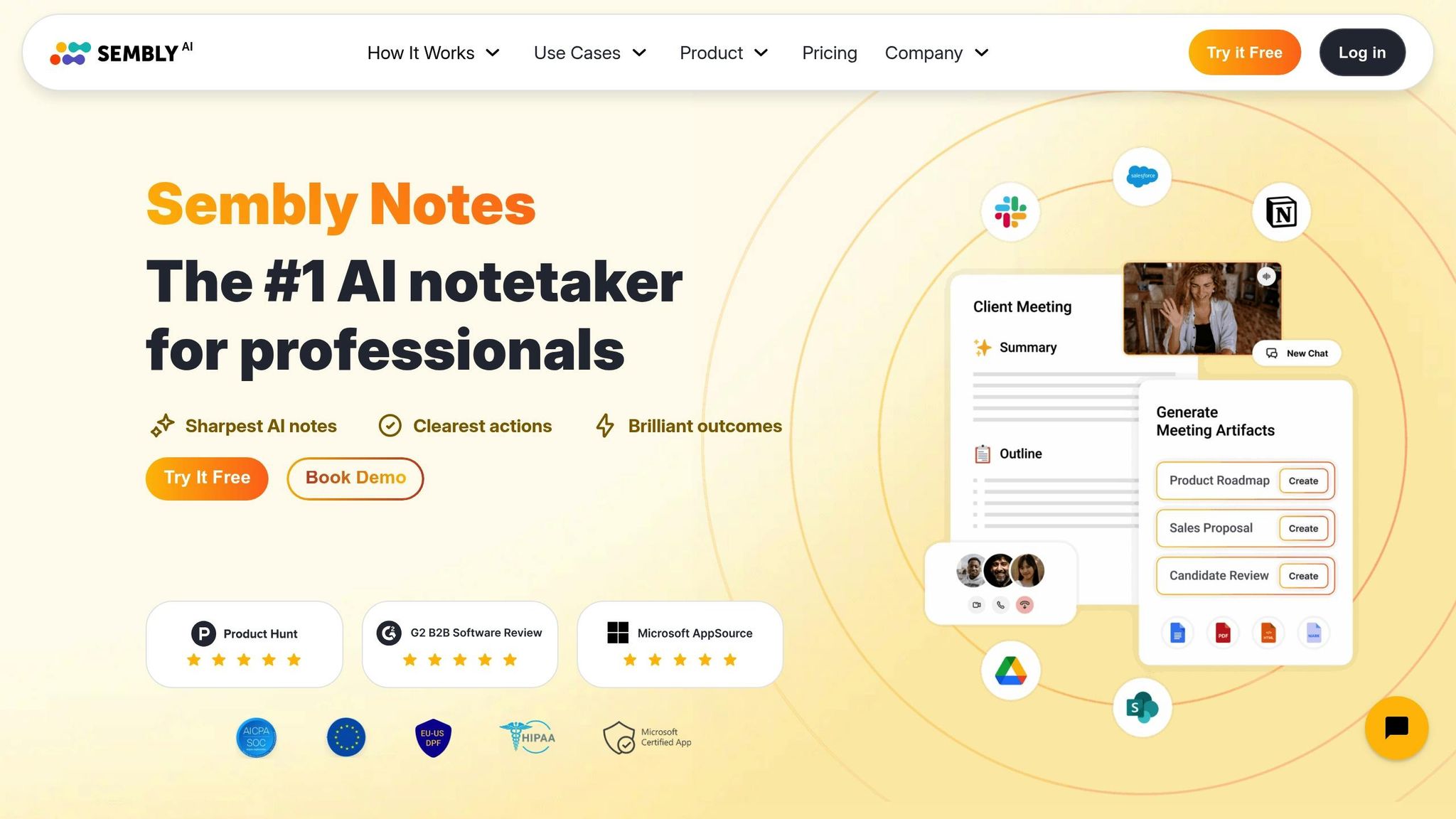
Sembly takes the hassle out of meetings by turning technical discussions into actionable documentation while seamlessly integrating with development workflows.
With support for transcription in 48 languages and over 2 million meetings processed to date, Sembly is built to simplify team collaboration. Its AI Meeting Notes feature creates summaries tailored to the type of meeting, automatically organizing highlights, decisions, goals, and challenges to improve documentation. On top of that, the Semblian AI Chat allows teams to query multiple meetings, uncover recurring blockers, and track patterns in technical discussions [26,29,30].
Here’s a closer look at what makes Sembly a game-changer for meetings.
AI-Powered Meeting Transcription and Summaries
Sembly’s transcription capabilities go beyond just capturing conversations. Its speaker identification ensures quotes are attributed correctly, even in tricky audio conditions. The AI Artifacts feature transforms meeting content into essential documents like project plans, requirements, use cases, and bug reports [29,30].
Organizations using Sembly have seen real results: a 25% reduction in meeting attendees and meeting times shortened by 10 to 15 minutes [28,29].
"Sembly is not like a true software application that I've used in the past. It's more like a team member."
– Richard Weller, Development & Innovation Lead, MI-GSO | PCUBED [17]
These precise transcriptions integrate effortlessly with your development tools, saving time and effort.
Integration with Development Tools
Sembly connects directly with tools like Jira and Linear, creating tickets from meeting tasks without manual input [26,27]. It also integrates with Confluence for documentation and supports custom webhooks to push meeting data into proprietary systems or CI/CD platforms [16]. With Zapier, teams can set up triggers for "New Meeting Notes", "New Tasks", or "New Transcription" and link them to thousands of apps, including GitHub [16].
Actionable Follow-Ups
The AI Tasks feature automatically identifies action items, assigns them to team members, and syncs due dates with project management tools [18]. Teams can even automate the distribution of deliverables right after meetings [26,27]. To help visualize progress, Sembly offers an AI Roadmap Generator and AI Report Generator, both powered by meeting data [15].
Pricing in USD for US-Based Software Teams
Sembly provides four pricing options to suit different needs:
- Personal plan: Free, includes 60 minutes of recording per month and a 4-month history.
- Professional plan: $10/month (billed annually) or $15/month (billed monthly). Offers unlimited online recording and 15 hours of uploads.
- Team plan: $20/user/month (billed annually) or $29/user/month (billed monthly). Adds multi-user workspaces and team management for up to 40 users.
- Enterprise plan: Custom pricing. Includes unlimited users, BI reporting integration with Tableau or Power BI, and US/EU data residency options [31,28].
All plans are SOC 2 Type II certified and GDPR compliant for secure and reliable usage [26,29].
Tool Comparison Table
Choosing the right meeting automation tool depends on your team size, budget, and workflow needs. The table below breaks down key features and capabilities of popular tools designed for software development teams:
| Tool | Main Features | AI Capabilities | Development Tool Integrations | Starting Price (USD) | Ideal For |
|---|---|---|---|---|---|
| Echother | Real-time transcription (99% accuracy), repository-aware ticket generation, voice agent for codebase queries, auto-generated technical diagrams, smart ticket splitting | Codebase-aware intelligence, context-rich analysis, repository-wide context, instant production-ready tickets | GitHub, JIRA, Google Meet, Zoom, Microsoft Teams | $0 (Developer), $20/month (Team) | Individual developers and teams managing codebase-integrated tickets (1-5+ repositories) |
| Fellow | Secure note-syncing, built-in privacy controls, collaborative agendas, meeting templates | AI-powered summaries, action item detection | Jira, Slack, integrations | $7/user/month (annual) | Small to mid-sized teams prioritizing secure data handling |
| Avoma | Deep conversation analytics, filler word tracking, talking-to-listening ratios, monologue statistics, coaching insights | Advanced sentiment analysis, conversation intelligence, meeting optimization | Jira (via Zapier), Slack | $19/user/month (annual) | Teams focused on meeting dynamics and coaching, especially sales-oriented dev teams |
| Fireflies | Topic tracking, collaboration tools, "AskFred" generative AI, 200+ app integrations | AI isolates dates, metrics, and tasks; sentiment analysis; meeting queries | Jira, Slack, automated task and email generation | $10/user/month (annual) | Growing teams needing extensive app ecosystem integration |
| Sembly | Transcription in 48 languages, AI Meeting Notes, Semblian AI Chat, AI Artifacts (project plans, bug reports) | Multi-meeting queries, pattern tracking, automated document generation, AI Roadmap and Report Generators | Jira, Linear, Confluence, custom webhooks, Zapier (GitHub via triggers) | $10/month (Professional), $20/user/month (Team, annual) | Teams with international members or complex documentation needs (up to 40 users on Team plan) |
Each of these tools brings a unique advantage to software teams. For example, Echother stands out with its deep codebase integration, making it ideal for ticketing workflows. Fellow offers a budget-friendly option with a strong focus on data security. Meanwhile, Avoma shines in meeting analytics and coaching insights, Fireflies provides expansive app integrations, and Sembly is perfect for teams with multilingual or complex documentation requirements.
AI meeting assistants can save teams a significant amount of time - up to four hours weekly, which translates to reclaiming as much as 33% of team productivity[19]. Automated ticket creation alone can cut down the time spent on manual updates by up to 75%[4]. The most efficient tools automate entire workflows, such as instantly creating a Jira task when AI detects an action item. This reduces manual data entry and ensures no task is overlooked[1][2]. For agile teams, integrations that support sprint management and deliver real-time Jira updates are especially valuable for maintaining momentum and meeting deadlines[4].
Conclusion
Meeting automation tools can help developers reclaim precious hours and boost productivity. Some tools claim to save up to four hours per week and restore about 33% of productive time, making them a game-changer for team collaboration[3][5][19].
To make the most of these tools, focus on selecting one that aligns with your team’s specific needs. Whether it’s seamless codebase integration, detailed analytics, or broad app connectivity, match the tool’s strengths to the challenges your team encounters daily.
Take advantage of free trials to test the tool with a small group and ensure it’s easy to adopt[20]. Also, verify that it integrates smoothly with platforms like GitHub, Jira, and Slack to keep your workflows uninterrupted[20][22]. Finally, scrutinize pricing plans to avoid unexpected costs that could strain your budget[20][21].
FAQs
What features should software teams look for in a meeting automation tool?
When selecting a meeting automation tool for software teams, it's important to focus on features that streamline processes and save time. Start by ensuring the tool offers integrations with calendars and video conferencing platforms. This reduces scheduling headaches and makes it easy for team members to join meetings without hassle.
Look for tools that include AI-powered transcription and real-time note-taking. These features help capture discussions accurately, making it simple to review important points or decisions later. Another key feature is automatic tracking of action items and follow-ups, especially if the tool connects with project management platforms like Jira or GitHub. This eliminates the need for manual task assignment and ensures nothing from the meeting falls through the cracks.
Finally, tools with AI-generated summaries can be a game-changer, providing clear overviews of decisions and insights. Don’t forget to check for robust security and compliance measures to keep sensitive information safe. With these features, software teams can stay organized and focused on achieving their development objectives.
How do meeting automation tools work with platforms like Jira and GitHub?
Meeting automation tools bridge the gap between discussions and platforms like Jira and GitHub, turning meeting outcomes into actionable tasks effortlessly. For instance, they can automatically generate or update Jira tickets or GitHub issues based on meeting notes, assigning priorities and connecting tasks to the appropriate team members. This removes the hassle of manual updates and ensures everything stays in sync with your established workflows.
With real-time integration, these tools make sure decisions and tasks are instantly reflected in the development environment. This not only streamlines processes but also minimizes the chances of miscommunication, helping software teams stay on track and productive.
What are the pricing options for meeting automation tools?
Fireflies.ai provides a free-forever plan, making it accessible for anyone to try. For more advanced features, they offer a Pro plan at $10 per user per month (with annual billing) and a Business plan priced at $19 per user per month (also billed annually). Pricing information for other meeting automation tools isn't available in the provided sources.