How to Automate Meeting Notes for Dev Teams
Automate meeting notes to capture technical decisions, create tickets, and sync transcripts with Jira, GitHub and Slack for searchable dev workflows.
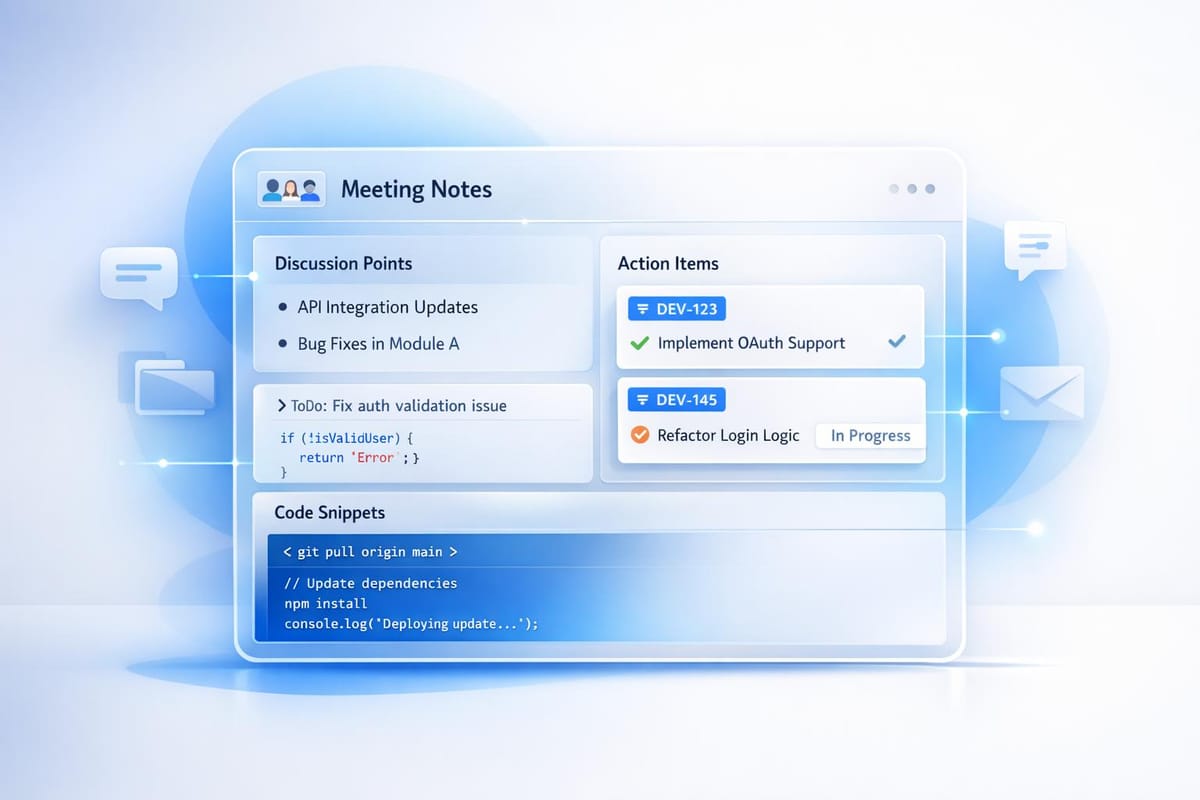
Automating meeting notes can save development teams time, improve task tracking, and ensure no critical details are lost. AI tools like Echother simplify this process by transcribing meetings, organizing notes, and creating actionable tasks directly in tools like Jira, GitHub, and Slack. Here's how it works:
- Real-time transcription: AI tools record and transcribe meetings with up to 99% accuracy.
- Actionable outputs: Automatically generate Jira tickets, GitHub issues, or Confluence updates from discussions.
- Integration: Sync with platforms like Zoom, Google Meet, and Microsoft Teams for seamless workflows.
- Templates: Use predefined formats for different meeting types (standups, sprint planning, retrospectives, etc.) to ensure consistency.
- Searchable archives: Build a knowledge base of past decisions and discussions for easy reference.
How I Created an App to Summarize Meeting Outcomes in VS Code
Understanding Your Team's Meeting Automation Needs
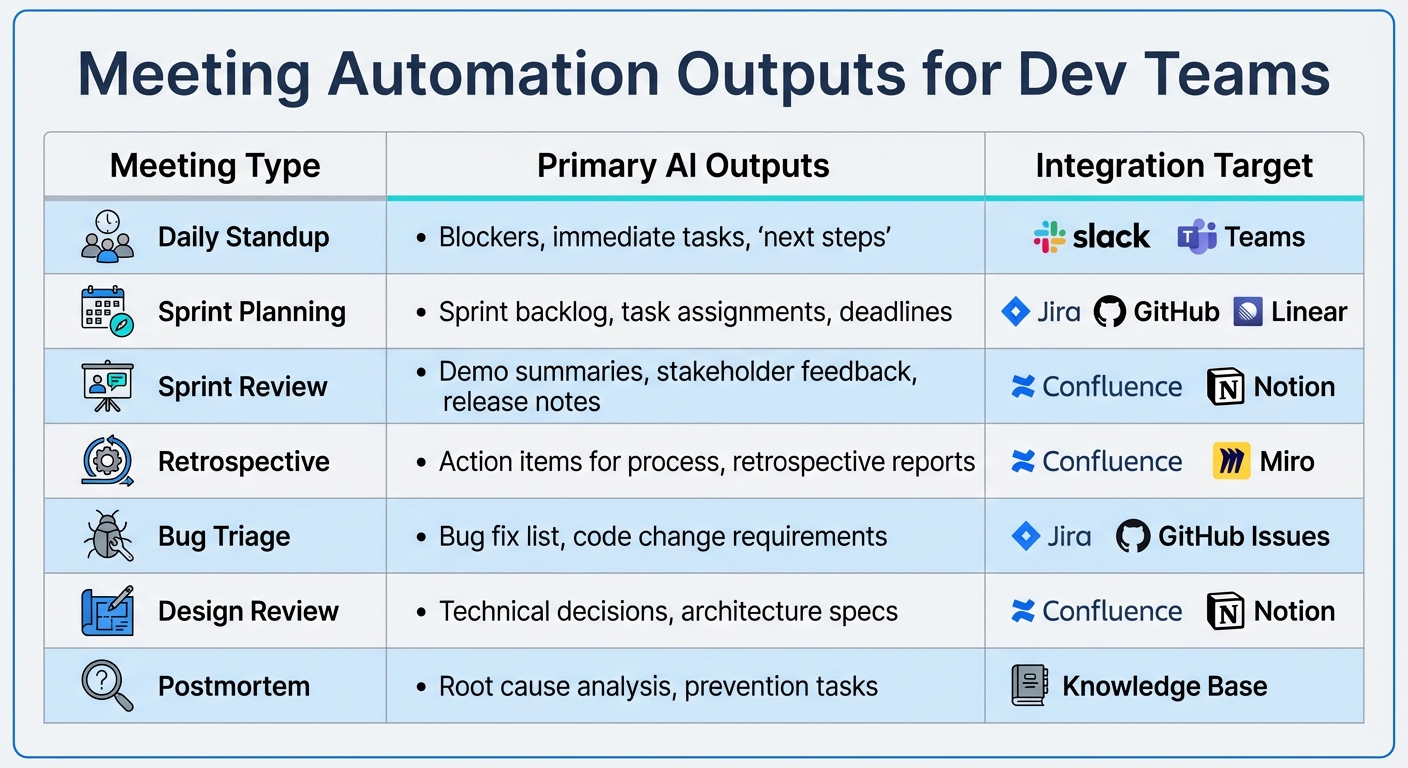
AI Meeting Automation Outputs by Meeting Type for Development Teams
To make the most of AI-powered note-taking, it's important to tailor your automation strategy to your team's specific meeting needs. Start by outlining the topics your team typically discusses and the documentation required for each type of meeting. Different engineering meetings have different goals, so your automation setup should reflect that. Taking this structured approach ensures that every meeting delivers outputs that directly contribute to your team's development process.
Common Meeting Types and Expected Outputs
Daily standups are quick check-ins designed to identify blockers, outline immediate next steps, and highlight critical tasks for the day [8][7]. Since these meetings are brief, the outputs should be equally concise - just a clear list of who is working on what and any obstacles in their way. These outputs can be sent directly to Slack or Teams for easy access.
Sprint planning sessions require more detailed documentation, such as sprint backlogs, project schedules, task assignments, and feature request details [8][7]. A good automation tool can convert these discussions into Jira tickets or GitHub issues, complete with story points and acceptance criteria.
Sprint reviews and demos focus on summarizing feature outcomes, demo highlights, stakeholder feedback, and release notes [8][7]. AI tools should capture not only what was presented but also the feedback that will guide future iterations.
Sprint retrospectives should generate reports on team performance, process improvement goals, and clear action items [8][7]. These meetings are all about improving efficiency, so the outputs should focus on what’s working and what needs adjustment.
Technical design and architecture reviews need to document technical decisions, design specifications, and other information for platforms like Confluence or Notion [8][7]. These notes are essential for onboarding new engineers and revisiting past decisions.
Bug triage sessions result in lists of bugs to fix, required code changes, deployment tasks, and updates to Jira or GitHub issues [8].
Postmortems create detailed records of root causes, context for onboarding, and tasks aimed at preventing future issues [8].
| Meeting Type | Primary AI Outputs | Integration Target |
|---|---|---|
| Daily Standup | Blockers, immediate tasks, "next steps" | Slack, Teams |
| Sprint Planning | Sprint backlog, task assignments, deadlines | Jira, GitHub, Linear |
| Sprint Review | Demo summaries, stakeholder feedback, release notes | Confluence, Notion |
| Retrospective | Action items for process, retrospective reports | Confluence, Miro |
| Bug Triage | Bug fix list, code change requirements | Jira, GitHub Issues |
| Design Review | Technical decisions, architecture specs | Confluence, Notion |
| Postmortem | Root cause analysis, prevention tasks | Knowledge Base |
Creating Standard Note Templates
Once you've defined meeting objectives, the next step is to create templates that capture all the necessary details. Standardized templates not only ensure consistency but also help the AI identify what information to extract. Markdown templates with placeholders like {date}, {participants}, and {action_items} can simplify this process [9].
Every template should include a "Decisions Made" section to document the reasoning behind technical choices [2][11]. This prevents repetitive discussions later when someone asks, "Why did we choose PostgreSQL over MongoDB?" The answer should already be in your searchable meeting history.
For sprint planning, your template might include sections like Agenda, Discussion Topics, Action Items, and Decisions [9][11]. Design reviews could focus on Context, Feedback, Decisions, and Action Items [2]. One-on-ones should cover Check-in, Progress, Feedback, and Next Steps [9]. While the AI can handle note-taking, a team member should review the action items before they’re added to Jira or Asana [3][10]. This ensures tasks have clear due dates and are assigned to the correct people.
Finally, integrate these templates with your knowledge base to maintain consistency. Searchable meeting records make it easier for engineers to find past decisions and avoid duplication of effort.
Setting Up an AI Meeting Automation Tool
After identifying your team’s meeting needs and preparing templates, the next step is setting up an AI tool that aligns with the specific requirements of development teams. A proper configuration ensures that standups, sprint planning sessions, and design reviews yield actionable outcomes automatically. Below, we’ll explore the key features, the capabilities of Echother, and how to seamlessly integrate AI into your development workflow.
Key Features for Development Teams
AI tools designed for engineering teams need to address unique challenges. For starters, real-time transcription with high accuracy is a must. Capturing technical terms and jargon correctly is critical, as generic transcription tools often miss key details like API names or architectural decisions. High-quality transcription ensures accurate meeting notes, which are essential for effective collaboration [3].
Another vital feature is repository-aware ticket generation. This capability transforms meeting discussions into actionable tasks by using retrieval-augmented generation (RAG) to scan local files. For example, if someone mentions refactoring the authentication module, the AI can pull relevant context from the codebase and create a detailed ticket with technical specifications [4].
Direct integration with tools like Jira, GitHub, and Confluence is equally important. The AI should automatically convert meeting action items into trackable work items, eliminating the need for manual entry. This ensures that a simple comment like “we need to fix this bug” becomes a well-structured Jira ticket with proper labels, assignees, and priorities [3][13].
Security is another critical consideration. Tools that offer local AI processing ensure sensitive discussions and data remain on your machine. For teams working with proprietary code or under strict compliance requirements, this feature prevents meeting transcripts from being processed on external servers [4].
Lastly, a searchable institutional memory is invaluable for engineering teams. This feature allows leads to revisit past decisions, saving time and avoiding repetitive debates. It also provides new team members with access to historical context, making onboarding smoother [2].
Echother's Features for Development Teams
Echother incorporates these essential features, making it a strong choice for development teams. Its 99% accurate real-time transcription captures technical jargon, code references, and architectural discussions without requiring post-meeting edits [14].
The tool’s repository-aware ticket generation bridges the gap between discussions and documentation. For instance, when a bug or feature is discussed in a meeting, Echother scans connected repositories to generate tickets with pre-filled technical details. This streamlines sprint planning and ensures no critical points are missed.
Echother also offers real-time query capabilities. Team members can ask the AI questions about the codebase during meetings, avoiding the need to pause discussions to search through documentation. This feature is particularly useful in design reviews, where referencing existing implementations or patterns is often necessary.
Another standout feature is smart ticket splitting, which breaks down complex feature requests into smaller, actionable tasks. For example, when a product manager outlines a large feature during sprint planning, Echother can create separate tickets for frontend, backend, and testing work.
Echother integrates seamlessly with GitHub, Jira, Google Meet, Zoom, and Microsoft Teams, fitting into your existing workflow without requiring major changes. It also prioritizes security, offering GDPR and SOC2 compliance along with end-to-end encryption to safeguard sensitive project data [14].
"In an industry like ours, where technical accuracy and clear communication are critical, having every meeting transcribed and searchable has saved us countless hours." - Jack Symonds, Director, Envirosense International Limited [14]
How to Connect Echother to Your Development Tools
Integrating Echother with your tools ensures meeting outputs are automatically transformed into actionable tasks. Start by linking your calendar and authorizing access to Jira, GitHub, or Confluence. This allows Echother to join meetings based on calendar events and capture details without manual intervention [14].
Customize note structures for different meeting types. For example, in bug triage sessions, focus on capturing severity levels, reproduction steps, and affected components. For design reviews, prioritize technical decisions, alternative solutions considered, and final recommendations [12].
If using Zoom, adjust settings to allow the bot to function. Disable “Only authenticated users can join” and “End-to-end encryption” (E2EE), as E2EE prevents the bot from capturing audio. Also, turn off the “Waiting Room” feature so the AI can join meetings automatically [15].
For impromptu discussions, such as pair programming sessions, you can manually add meeting URLs directly into the Echother dashboard. This flexibility ensures even spontaneous conversations are captured and documented without disrupting workflows [12].
Once the tool is integrated, test it with a small group before rolling it out to the entire team. This helps identify permission issues, refine custom frameworks, and create demo clips to guide other teams on how to use the tool effectively [1].
Using Automation During and After Meetings
AI tools shine not only during live meetings but also when turning conversations into actionable tasks. This involves three essential steps: capturing accurate real-time transcriptions, organizing notes into usable formats, and integrating those outputs seamlessly into your development workflow.
Configuring Real-Time Transcription and Recording
By linking your Google or Outlook calendar, you can automatically detect and join scheduled Zoom, Google Meet, or Microsoft Teams calls with pre-set recording configurations. You can customize the recording behavior to suit your team's needs - whether that's automatically recording all meetings, limiting it to internal ones, or starting manually with a "Record Now" button.
For transparency, the AI bot posts a notification in the meeting chat and appears as "Echother Notetaker", ensuring compliance with legal requirements. Hosts retain full control, with options to remove the bot or use commands like /stop to end recording immediately.
To enhance transcription accuracy, especially for technical discussions, provide context before the meeting. Share details like the project’s focus, participant roles, and definitions for technical terms such as "repo", "CI/CD", or "PR." Using OpenAI's Whisper model for local processing, the AI can transcribe a 3-hour session in under 10 minutes while ensuring privacy - sensitive data stays on your machine [16].
During live meetings, participants can use commands like /pause to temporarily halt recording for sensitive moments or /transcript to access the live transcription link. Some tools even capture screenshots to pair visual elements, like shared code snippets or diagrams, with audio for added context.
Once transcriptions are complete, the next step is transforming these raw notes into actionable tasks.
Organizing Notes and Creating Tasks
After the meeting, AI tools automatically process transcripts into structured formats using predefined templates. For example, in daily standups, updates are categorized by team member, with sections for "blockers" and "completed work." In design reviews, technical decisions, alternative solutions, and final recommendations are neatly organized into separate categories.
If someone mentions, "we need to refactor the authentication module", the AI can convert it into a Jira-ready ticket. It even auto-assigns tasks with @mentions in project management tools, removing the need for manual formatting and distribution of meeting notes.
"Manual note-taking can be tedious, inconsistent, and time-consuming. But it's necessary for project collaboration, alignment, and productivity across teams." - Atlassian [3]
Always review AI-generated action items for accuracy and ensure due dates are clear before syncing with Jira or GitHub. To maintain organization, configure the tool to save notes in a designated folder, like a "Sprints" space in Confluence. This approach not only keeps documentation tidy but also preserves the reasoning behind decisions, creating a valuable resource for onboarding new team members.
With notes structured and tasks ready, the final step is integrating these outputs into your development tools.
Pushing Notes to Your Dev Workflow
Post-meeting outputs can be integrated directly into development tools like GitHub, Jira, Google Meet, Zoom, and Microsoft Teams. For example, Echother allows one-click export of action items from the meeting recap. If your team uses Trello, a "Send to Trello" button can instantly push tasks into a Trello Inbox.
For bug triage sessions, the AI can turn discussions into detailed Jira tickets, complete with severity levels, reproduction steps, and affected components. This ensures even less-productive meetings generate clear, trackable outcomes.
To automate further, enable features like "Auto Summary" and "Chapters" in your tool settings. Middleware platforms like Zapier can connect AI meeting assistants to thousands of applications, though webhook-based automation often requires a paid plan starting at $20 per month [4].
Establishing a consistent post-meeting workflow is key. Once the /stop command is triggered or the meeting ends, the AI can automatically generate a recap, create Jira tickets, update Confluence, and email summaries to participants. This ensures discussions are quickly translated into actionable items, keeping your sprint planning on track and preventing any important decisions from slipping through the cracks.
Scaling Meeting Note Automation Across Teams
Tracking Productivity Improvements
Automating meeting notes can lead to measurable productivity gains. For example, strategic AI users reclaim up to 105 minutes daily, while basic users recover an average of 53 minutes per day [5]. If we value time at $75/hour, saving 105 minutes translates to approximately $131.25 daily - adding up to over $34,000 annually per developer [5].
Another key metric is meeting-to-task conversion speed - how quickly action items from meetings like sprint planning or bug triage sessions are turned into tickets in development tools [8][3]. Teams leveraging automation report saving more than 200 hours annually [6]. Additionally, tracking meeting health metrics, such as talk-to-listen ratios and sentiment analysis during retrospectives, can uncover communication patterns that might benefit from coaching [17].
Automation also reduces the time spent revisiting past decisions by creating searchable meeting libraries, which make it easier to reference discussions, such as architecture choices [8][2]. By comparing manual note-taking with automated solutions, the time savings and productivity boosts become clear.
Armed with these insights, you can further refine your note templates to improve meeting outcomes.
Improving Templates and Processes
Tailor your AI prompts and templates to reflect your team's specific language and needs. For instance, include fields for "blockers", "deployment tasks," and "code changes" [8]. Test new templates with a small pilot group before rolling them out across the organization [1]. To encourage collaboration, set up a shared Slack or Teams channel where users can exchange tips and troubleshoot issues [1].
For sensitive discussions - like performance reviews or vendor negotiations - implement a "pause/resume" policy to protect psychological safety while still automating routine technical syncs. If sensitive information is accidentally recorded, use redaction tools to edit transcripts before sharing them [5].
Once your templates and processes are running smoothly, you can begin introducing automation to additional teams.
Expanding to Multiple Teams
After fine-tuning your templates and processes, scaling automation across teams ensures consistent results. Start small by automating low-stakes internal meetings before moving on to external ones [2]. Identify internal champions who can advocate for the tool and assist other teams with adoption [2]. Provide clear guides and FAQs to show users how to edit AI notes, customize templates, and address privacy concerns [1].
Integrate your automation tools with a centralized knowledge base like Confluence or Notion, enabling all teams to access past technical decisions and avoid knowledge silos [2][3]. You can also use the "optional attendee" strategy - invite team members as optional participants so they can skip live calls and review AI-generated summaries with timestamped highlights later [5].
To ensure smooth scaling, establish clear policies for AI use, such as enabling Copilot in Teams and enforcing encryption for data security [18][3]. Regularly review AI-generated summaries for accuracy, as occasional errors can occur [19]. Tools like Echother's Team plan, priced at $20/month per seat, offer 600 pooled minutes and 5 repository connections, making it a cost-effective way to scale automation while maintaining codebase-aware functionality.
Conclusion
Automating meeting notes has become a game-changer for development teams. As Notion aptly states:
The very act of trying to preserve knowledge prevents us from creating it in the first place [2].
When your top developers are forced to choose between fully engaging in discussions or meticulously documenting them, productivity takes a hit either way. AI tools remove this dilemma altogether. By automating the note-taking process, teams can retain critical context while experiencing measurable productivity improvements.
This automation doesn’t just streamline meetings - it creates a searchable knowledge base that captures not only decisions but also the reasoning behind them. Key architectural and technical insights that might otherwise be lost are preserved. Additionally, integrating this process into your workflow transforms discussions into actionable tasks instantly. Say goodbye to manual ticket creation, missed action items, and wasted time searching for important details. As Atlassian highlights:
AI meeting note-takers precisely capture recorded details, which is beneficial for technical discussions or specific data points [3].
For teams eager to reclaim their time and focus on building exceptional software, tools like Echother provide an effective starting point. With features like 99% accurate transcription, repository-aware ticket generation, and seamless integration with existing development tools, the benefits are clear. Their free Developer plan offers 15 minutes of recording and one repository connection, while the Team plan, at $20 per month per seat, includes 600 pooled minutes and five repository connections.
FAQs
How can AI tools help development teams take better meeting notes?
AI tools can transform how development teams handle meeting notes by offering real-time transcription with impressive precision. This eliminates the typical mistakes of manual note-taking and captures every word spoken during discussions. Plus, these tools can automatically pinpoint key decisions, technical jargon, and action items, ensuring nothing slips through the cracks.
What’s more, AI can identify context-specific details - like bug IDs or sprint objectives - and link meeting results directly to tools such as issue trackers or version control systems. The result? A searchable and well-organized knowledge base that fits seamlessly into your existing workflow, saving time and reducing potential confusion.
Another advantage is the structured consistency AI brings to meeting notes. With standardized summaries that include clear action items and timestamps, teams can stay on the same page, simplify onboarding processes, and make retrospective reviews far more efficient.
What features should I look for in an AI tool to automate meeting notes for development teams?
When selecting an AI tool to automate meeting notes for your development team, focus on features that simplify the process of capturing, organizing, and sharing insights while fitting smoothly into your existing workflow.
Choose tools that offer real-time transcription with speaker identification to create precise, searchable transcripts and ensure key points are correctly attributed to the right individuals. Tools with AI-generated summaries are equally important, as they distill lengthy discussions into actionable takeaways - highlighting decisions, risks, and next steps.
For development teams, seamless integration with project management tools like Jira or Trello is a game-changer. This allows automatic creation of tickets or linking meeting outcomes directly to tasks, keeping everyone aligned. Features like calendar syncing and automated note distribution ensure notes reach the right people without delay. Additionally, prioritize tools with customizable formats, robust security, and workflow automation to maintain efficiency and safeguard sensitive information. These capabilities free your team to focus on coding, leaving the AI to manage the rest.
How can I keep sensitive information secure when using AI for meeting notes?
To ensure sensitive information remains secure when using AI for meeting notes, prioritize encryption, access control, and compliance measures.
Start by confirming that the AI service encrypts your data both during transit and while stored, using strong protocols like TLS 1.2+ and AES-256. If possible, consider storing raw audio files or transcripts on your own servers or in a private cloud within the U.S., giving you complete control over your data.
Next, enforce strict role-based access controls (RBAC) and integrate single sign-on (SSO) to restrict access to only authorized individuals. It's also essential to maintain a detailed log of all access events to promote accountability.
Lastly, check that the AI provider adheres to recognized security standards such as SOC 2 Type II, ISO 27001, GDPR, or CCPA. Take time to review their privacy policies to ensure your data won’t be used for any unauthorized purposes. By combining these practices - encryption, controlled access, and compliance - you can confidently use AI to automate meeting notes without compromising the confidentiality of your discussions.