AI Meeting Summaries for Sprint Planning
AI meeting summaries turn sprint planning into instant, traceable tickets, automating transcripts, code-aware tasks, and saving teams hours.
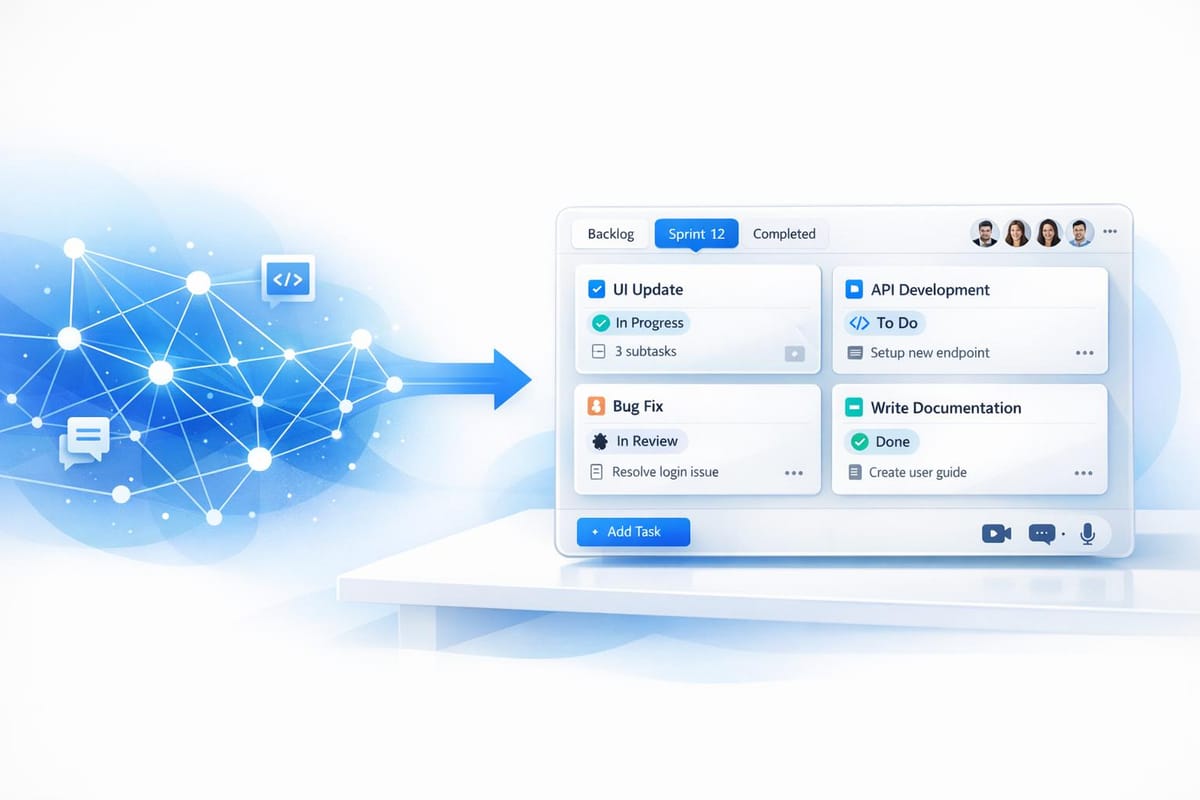
Sprint planning often feels like a time sink, with disorganized meetings, scattered notes, and delayed development. AI tools can change this by automating meeting summaries, creating structured tickets, and improving documentation accuracy. Here's how:
- Time Savings: AI reduces manual note-taking and ticket creation, saving 4+ hours per week.
- Clear Documentation: Automatically generates organized, traceable summaries with accurate technical details.
- Faster Development: Converts discussions into actionable tasks instantly, avoiding delays.
For example, tools like Echother provide 99% accurate transcriptions, generate Jira-ready tickets, and integrate with GitHub to ensure technical precision. Teams using AI report a 35% drop in planning overhead and improved sprint velocity.
AI simplifies sprint planning, letting teams focus on building instead of documenting. Whether you're a developer or project manager, adopting these tools can save time and reduce frustration.
From Sprint Planning to Jira in Minutes 🤖 | AI Agent Built with Automation Anywhere
Common Problems in Sprint Planning
Sprint planning tends to run into three recurring issues: too many meetings that wear teams out, manual note-taking that skips over essential details, and the time-consuming task of turning discussions into actionable tickets. These problems pile up over time, slowing down progress across development cycles. Let’s break these down further.
Too Many Meetings and Mental Burnout
On average, developers switch between digital tools hundreds of times a day [4]. During sprint planning, they’re constantly bouncing between platforms like Zoom, Jira, Slack, and GitHub. Each switch chips away at focus and adds to mental fatigue. Trying to participate in discussions while taking notes only makes things worse, often leading to missed technical details.
Jonmagic, a Principal Engineer at GitHub, shared his pre-AI struggles:
"I was drowning in meetings, losing track of decisions, and manually typing notes I never revisited. Then I found a better way - capture once, reuse everywhere with AI" [5].
This constant cognitive load often leads to those frustrating "did we decide that?" moments, forcing teams to repeat conversations or chase down follow-ups. By automating meeting summaries, AI can capture every detail without distracting the team, letting them stay focused on the discussion at hand.
Missing Information and Disorganized Notes
Nearly half of digital workers (47%) find it difficult to locate the information they need to get their work done [4]. When notes are scattered across transcripts, chats, and handwritten scraps, critical details like acceptance criteria, dependencies, and technical specs often slip through the cracks. Muhammad Samiullah, a Solution Engineer at Mazik Global, described the resulting chaos:
"Project managers asking, 'What are the action items?' Functional teams wondering, 'What exactly were the requirements?' Developers waiting for structured backlog items that never seem to arrive" [1].
This lack of organization creates information silos, making it tough to trace decisions and understand their context. Tools that centralize and summarize meeting data can solve this, ensuring no detail gets overlooked.
Tedious Ticket Creation
Manually converting discussions into structured tickets eats up an incredible amount of time. Project managers often spend 10–15 hours every week on this task, delaying the start of development. For example, in November 2025, Muhammad Samiullah had to process a massive 40-page workshop transcript to create actionable GitHub Issues [1]. It’s not just a time sink - it affects morale too. Felix Langfeld, a Tech Lead, put it bluntly:
"Manually compiling sprint reports from Jira is tedious, time-consuming, and prone to missing key insights... important contributions getting overlooked and team motivation taking a hit" [2].
These inefficiencies can cost agile teams up to 10% of their sprint capacity [6]. While developers wait for structured backlog items, actual work gets delayed, pushing deadlines further out. AI-driven ticket generation can streamline this process, freeing up teams to focus on what they do best: building.
How AI Meeting Summaries Improve Sprint Planning
AI tools are transforming sprint planning by automating tedious tasks that often consume hours of valuable time. Companies that adopt AI-driven agile tools report a 35% drop in planning overhead [6], allowing development teams to focus on building and delivering products rather than getting bogged down in planning.
This shift is driven by advancements in three main areas: real-time transcription with intelligent summaries, automated ticket creation, and codebase-aware insights that ensure technical precision. These features streamline processes like note-taking, task generation, and technical planning, making sprint preparation faster and more efficient.
Automatic Transcription and Summaries
AI transcription tools convert spoken conversations into real-time text, capturing key technical details while cutting out unnecessary chatter [13]. This means every important point is documented as it happens, without requiring manual input.
For example, in August 2025, James Coller, Director of Program Management at Treetown Tech, shared how an AI-powered meeting notes tool saved him 10-15 hours each week. Instead of manually compiling notes into summaries or email recaps, the tool automatically generated organized summaries and action items directly within his team’s workflow [3]. He explained:
"The fact that it's all automatic saves me 10-15 hours a week" [3].
The improvements in accuracy are just as impressive. AI tools can capture ~4x more context compared to manual note-taking [5], and every task or summary is traceable back to the original conversation, ensuring nothing is lost or misinterpreted [1]. This is crucial for sprint planning, where technical specifications, acceptance criteria, and dependencies must be recorded exactly as discussed.
Platforms like Echother take this even further, offering 99% accurate transcription that integrates seamlessly with development workflows. Echother records meetings on platforms like Google Meet, Zoom, and Microsoft Teams, automatically extracting decisions, action items, and technical requirements - no manual effort required.
Converting Discussions into Ready-to-Use Tickets
One of the biggest time-savers is AI's ability to turn meeting transcripts into structured tickets that are ready for development. By analyzing transcripts, AI tools can identify backlog items, generate detailed descriptions, and assign tasks automatically [1][8].
Natural-language processing enables these tools to create consistent user stories and acceptance criteria from rough meeting notes, saving 2-3 hours per sprint during refinement [6]. For example, if someone says, "John will update the wireframes", the AI generates a task with an assignee and deadline [7]. It can even format requirements into a structured "Who/What/Why" format that teams use to create user stories [1].
In November 2025, Muhammad Samiullah, a Solution Engineer at Mazik Global, tested an AI tool on a 40-page workshop transcript. By using targeted prompts, the team condensed the unstructured text into a two-page blueprint and automatically drafted issues for all "in-progress" and "next" tasks. This process turned hours of backlog grooming into just minutes [1]. He noted:
"AI helps us turn conversations into clarity. It transforms discussions into actionable tasks" [1].
Echother simplifies this process further by generating production-ready tickets directly from sprint planning discussions. It creates JIRA-compatible tickets with detailed descriptions, acceptance criteria, and technical details - eliminating the need for manual formatting. Teams can push these tickets directly into their project management tools, avoiding the post-meeting scramble to document key decisions.
Codebase-Aware Context for Better Accuracy
Generic AI tools often miss critical technical nuances, but codebase-aware AI agents go a step further. These tools analyze your code repository to identify service dependencies, flag potential blockers, and suggest specific code changes [9]. By understanding your existing architecture, they ensure that generated user stories align with your technical constraints [12].
This added context significantly improves estimation accuracy. By analyzing historical Git commit patterns, pull request times, and service modification history, AI can provide realistic story point estimates and sprint capacity suggestions. This reduces the guesswork and inefficiencies often associated with "estimation theater" [9][11]. Teams can also compare current sprint items with past velocity patterns, cutting down on planning time.
| AI Feature | Impact on Sprint Planning | Key Benefit |
|---|---|---|
| Predictive Estimation | Leverages historical Git data | Cuts estimation meetings by up to 60% [6] |
| Ticket Summarization | Converts notes into user stories | Saves 2-3 hours per sprint [6] |
| Dependency Mapping | Highlights potential blockers | Reduces sprint disruptions by 30% [6] |
| Automated Drafting | Transforms transcripts into tasks | Cuts backlog grooming time to minutes [1] |
Between March and June 2025, a Fintech Startup integrated AI tools into its agile processes. By using AI to analyze code suggestions and automate quality checks based on codebase context, the company increased its sprint velocity by 35% (from 18 to 24 story points) and reduced production bugs by 60% in just three months [10].
Echother enhances this process with repository-aware ticket generation. By connecting directly to GitHub, it understands your codebase structure, identifies dependencies, and ensures technical accuracy. It even suggests affected files and services during ticket creation, helping teams avoid blockers before they arise. With a voice agent capable of answering real-time codebase questions, Echother ensures that sprint planning discussions stay on track without unnecessary interruptions.
Adding AI Summaries to Your Sprint Planning Process
AI meeting summaries can be a game-changer for sprint planning. By integrating AI tools into your workflow, you can streamline processes without overhauling your existing setup. Start by connecting your current platforms and setting up basic templates. This approach allows most development teams to adopt AI tools quickly and efficiently. Here’s a closer look at how to prepare and configure these tools for a more effective sprint planning process.
Getting Ready for AI-Powered Sprint Planning
Before diving into your first AI-supported sprint planning session, make sure to link all relevant tools. This includes connecting meeting platforms like Zoom, Google Meet, or Microsoft Teams, syncing your Google or Outlook calendar for automatic session capture, and integrating project management platforms such as Jira and GitHub.
Security is a top priority, especially when dealing with sensitive codebase information. Implement OAuth 2.0, encrypt data both in transit and at rest, and configure SSO or SAML for secure access.
To ensure accurate ticket generation, refine your backlog ahead of time. Establish standardized templates for meeting notes and tickets so the AI can consistently capture key details like sprint goals, acceptance criteria, and story points. For example, teams using AI meeting assistants have reported saving up to 75% of the time they used to spend on manual documentation [15].
Setting Up AI for Your Sprint Planning
Once the integrations are in place, customize the AI to fit your Agile workflow. Create summary templates that focus on your team’s priorities, such as sprint goals, technical blockers, acceptance criteria, and story points. Set the frequency for updates and map Jira fields so the AI can populate tickets accurately.
Paul Debahy from Luna AI highlights the time-saving potential of proper configuration:
"The key benefit of using AI is that tech teams can save hours each week, reducing sprint reporting time by up to 70%" [14].
You can also configure the AI to automate ticket transitions in Jira based on meeting outcomes. For instance, if a story is approved for development, the AI can move it from "Backlog" to "Ready for Sprint" without manual intervention. Syncing your calendar ensures meeting notes are automatically attached to invites, giving participants access to agendas in advance. During the session, use collaborative editors to refine AI-generated notes in real time.
Echother in Action: Key Capabilities
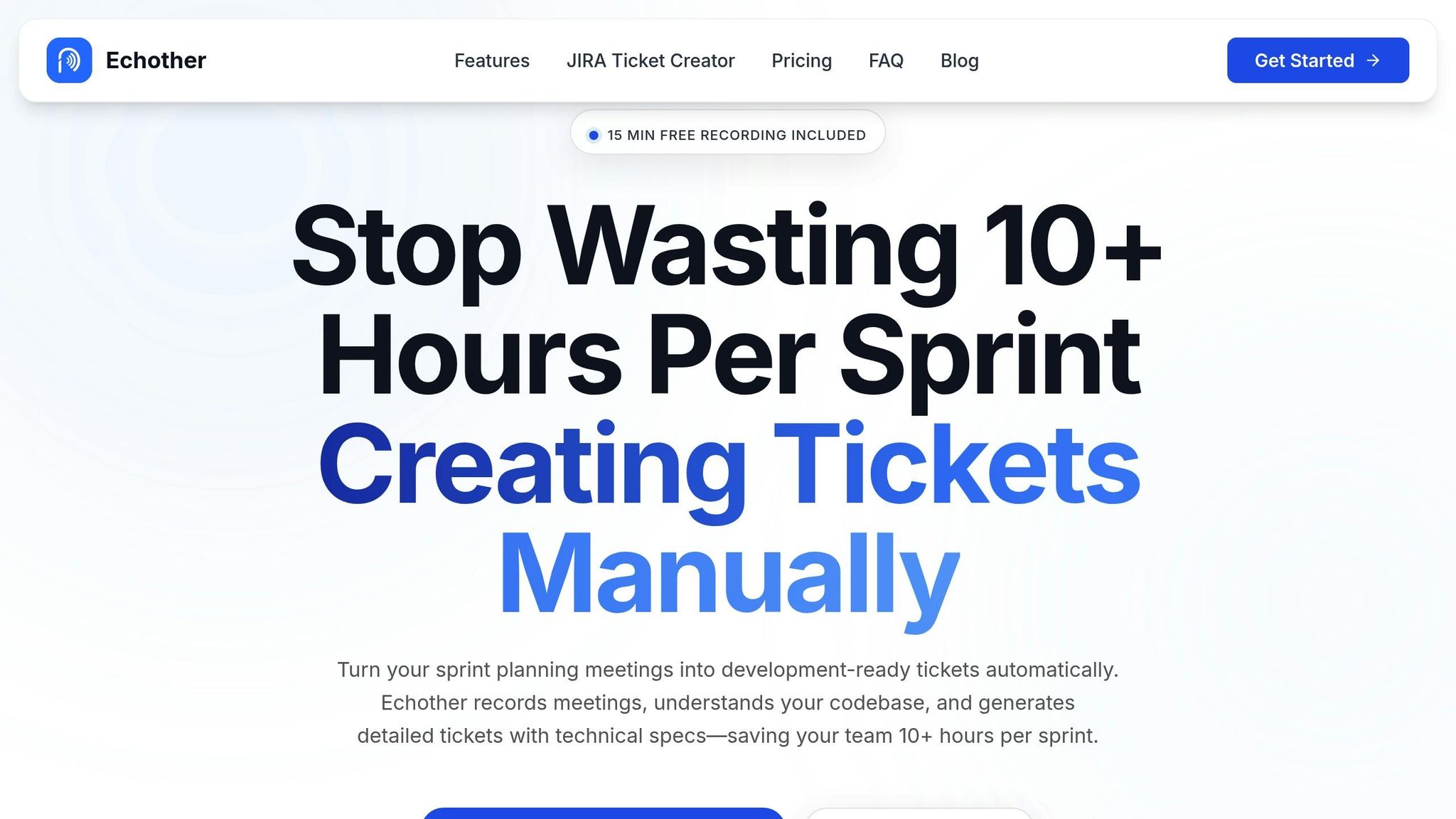
Once your AI system is configured, tools like Echother can take your sprint planning to the next level. Echother offers features tailored specifically for development teams, delivering highly accurate transcriptions (99%) across platforms like Google Meet, Zoom, and Microsoft Teams. It captures every technical detail discussed, ensuring nothing is missed.
Echother’s repository-aware ticket generation integrates directly with GitHub, allowing it to create Jira-ready tickets complete with technical details, affected files, and mapped service dependencies. Its voice agent can answer real-time codebase questions during sprint planning sessions, eliminating the need to pause discussions for manual searches. Whether it's a question about service architecture or dependency chains, the voice agent provides instant, context-aware answers without interrupting the meeting flow.
Additionally, Echother automatically extracts sprint goals, action items, and technical requirements, then pushes production-ready tickets directly into Jira - no post-meeting cleanup required.
Echother offers flexible pricing options. The Developer plan is free and includes 15 minutes of recording with full transcription and ticket generation. The Team plan costs $20 per month per seat, providing 600 minutes of pooled recording, 120 minutes of voice agent access, and up to five repository connections. For larger teams, the Enterprise plan offers unlimited repositories, custom integrations, and dedicated support.
Measuring Results from AI Meeting Summaries
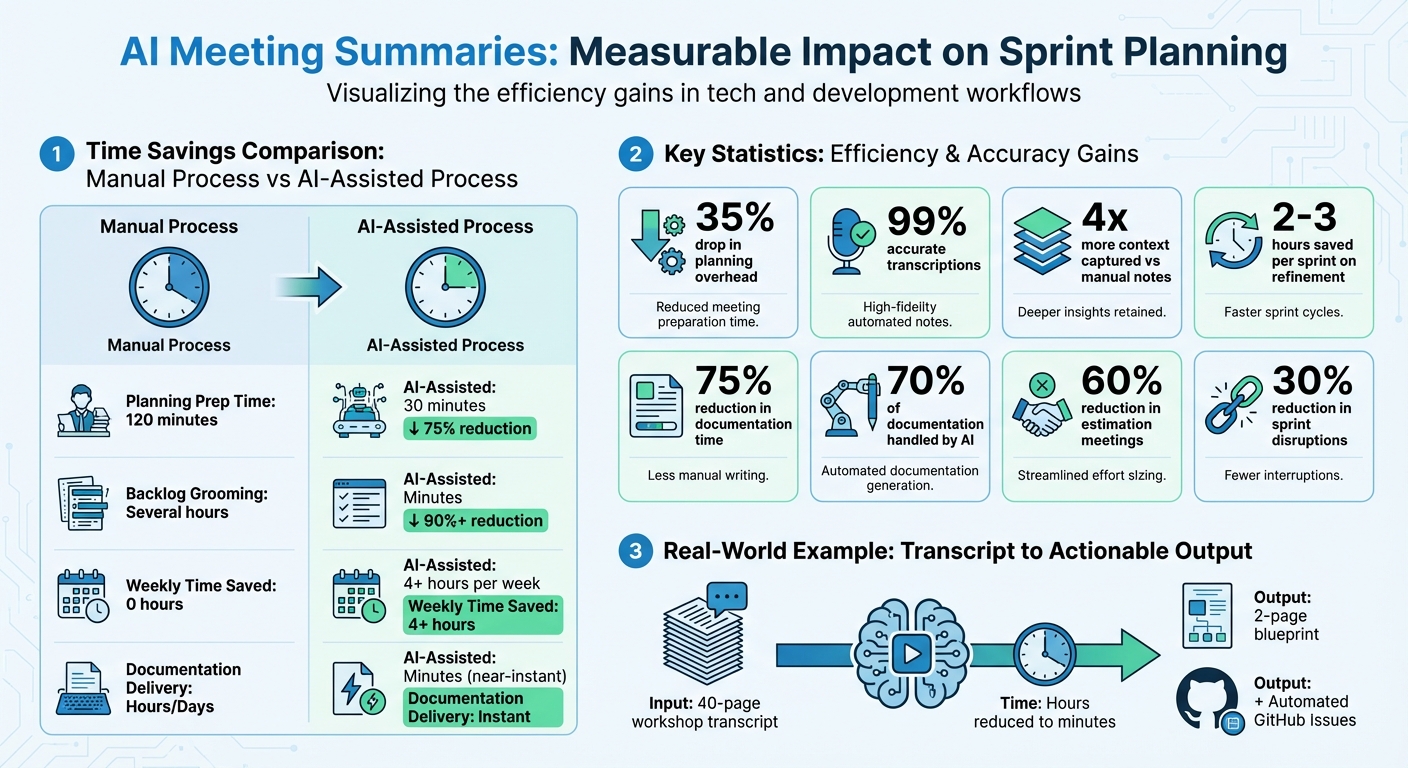
AI Meeting Summaries Impact on Sprint Planning: Time Savings and Productivity Gains
Once you've introduced AI meeting summaries into your sprint planning workflow, tracking the results becomes essential. The impact often shows up in three main areas: time savings, documentation quality, and overall team productivity. Here's a closer look at what development teams are experiencing when they measure these results.
Time Saved During Sprint Planning
The most noticeable benefit is the time you reclaim. For example, in November 2025, Muhammad Samiullah, a Solution Engineer at Mazik Global, used AI to condense a 40-page transcript into a concise summary and automatically generate GitHub Issues for the backlog. This streamlined process cut backlog grooming from hours to mere minutes [1].
"This process has reduced hours of backlog grooming into minutes - transforming how we move from discussion to delivery." - Muhammad Samiullah, Solution Engineer, Mazik Global [1]
Similarly, in 2024, the Austrian Post Group IT incorporated an AI assistant into their PRIME (Scaled Agile) feature refinement and planning meetings. The AI evaluated feature boards, team velocity, and capacity to flag risks like over-commitment. This reduced the time needed for the reference team to prepare and validate planning insights from 120 minutes to just 30 minutes - a 75% decrease in prep time [18].
Across the board, users report saving over 4 hours per week by automating meeting transcription and summaries [16]. Laura Brown, Vice President of Sales at Aiden Technologies, shared that her team regained 33% of their time thanks to AI notetakers [16]. Matt Sodnicar, Marketing Manager at Canidium, emphasized: "I easily save hours per week, without a doubt. That's an exponential amount of time savings" [16].
| Metric | Manual Process | AI-Assisted Process | Improvement |
|---|---|---|---|
| Planning Prep Time | 120 minutes | 30 minutes | 75% reduction [18] |
| Backlog Grooming | Several hours | Minutes | ~90%+ reduction [1] |
| Weekly Time Saved | 0 hours | 4+ hours | 4+ hours/week [16] |
| Documentation Delivery | Hours/Days | Minutes | Near-instant [17] |
These time savings also improve documentation quality and help teams focus on higher-value tasks.
Better Documentation and Traceability
AI doesn't just save time - it ensures structured, consistent documentation. Instead of relying on scattered or inconsistent notes, AI meeting summaries provide a standardized record of every decision. Sprint goals, acceptance criteria, and technical requirements are captured accurately, reducing the risk of human error.
Each ticket is linked to its original discussion with a timestamp, creating a transparent trail [1][3]. When a developer picks up a ticket weeks later, they can review the exact conversation that led to its creation. This eliminates confusion and minimizes the need for clarification.
AI tools can distill a 40-page workshop transcript into a concise, 2-page blueprint for project execution [1]. In collaborative workflows, AI handles around 70% of the documentation, leaving only 30% for human review and fine-tuning [1].
"Every issue is traceable back to its source conversation - ensuring transparency, accountability, and continuous improvement." - Muhammad Samiullah, Solution Engineer, Mazik Global [1]
This level of traceability not only enhances clarity but also boosts team productivity by reducing the manual workload.
Higher Team Productivity and Focus
By eliminating the need for manual note-taking, AI meeting summaries allow teams to focus on what matters most - strategy and problem-solving [19]. Often, the most engaged participants, who ask critical questions and drive decisions, are the least able to document the discussion effectively [19].
With AI, sprint planning discussions seamlessly transition into structured backlog items. Developers receive clear, contextualized requirements without waiting for someone to manually create tickets. This immediate handoff speeds up development while preserving important details.
Additionally, meeting histories become instantly searchable, enabling engineering leads to revisit specific technical discussions or decisions months later [19]. This searchable archive prevents teams from revisiting old debates and helps onboard new members by providing context for past choices.
"AI is not just about automation; it's about alignment. It bridges the gap between what we discuss in meetings and what we deliver." - Muhammad Samiullah, Solution Engineer, Mazik Global [1]
The consistency AI provides is equally valuable. Summaries follow a predictable format, ensuring that key decisions and action items are captured systematically, regardless of who attended the meeting [19]. This standardization reduces misunderstandings and keeps everyone aligned on sprint objectives.
Conclusion
Sprint planning doesn’t have to be a time sink. With AI meeting summaries, the tedious task of manually creating structured tickets is a thing of the past. These tools automate documentation, ensuring every decision is logged and traceable back to its original conversation[1]. So, how does Echother make this process seamless?
Echother integrates effortlessly into your workflow on popular platforms, transcribing discussions with an impressive 99% accuracy. It goes a step further by generating tickets that are tailored to your codebase. Thanks to repository-aware context, these tickets include all the technical details developers need to hit the ground running.
By adopting AI-driven documentation, teams can save valuable time and focus on what truly matters. As Jack Symonds, Director at Envirosense International Limited, explained:
"In an industry like ours, where technical accuracy and clear communication are critical, having every meeting transcribed and searchable has saved us countless hours"[20].
Switching from manual note-taking to AI-powered solutions allows your team to concentrate on solving core challenges. You can start with Echother’s free Developer plan, which offers 15 minutes of recording, or opt for the Team plan at just $20/month per seat. This plan provides 600 minutes of recording and codebase-aware intelligence - delivering efficiency at a fraction of the cost spent on manual documentation.
FAQs
How can AI make sprint planning more efficient?
AI-powered tools are changing the way teams handle sprint planning by creating clear, searchable transcripts of meeting discussions. These tools analyze spoken input to highlight key decisions, identify blockers, and outline deliverables. The result? Concise summaries that save time and help teams avoid missing important details.
Take Echother, for example. This platform goes beyond just recording meetings - it integrates with your codebase to generate production-ready tickets. These tickets come complete with technical specifications, acceptance criteria, and links to tools like GitHub or Jira. By automating backlog refinement, Echother frees developers to focus on coding while ensuring sprint plans are both actionable and well-structured.
How can AI simplify sprint planning tasks?
AI has the potential to make sprint planning a lot easier by taking care of repetitive tasks, freeing up time and energy for the team. For instance, it can record meetings and instantly produce accurate, searchable transcripts, eliminating the need for manual note-taking. From these transcripts, AI can summarize key points, highlight important decisions, and flag unresolved questions, ensuring nothing slips through the cracks.
On top of that, AI can generate detailed, production-ready tickets that include technical specs and links to relevant parts of the codebase, seamlessly integrating with tools like Jira or GitHub. It can also organize the sprint backlog, set priorities, and update project boards based on the meeting’s context. These capabilities transform sprint planning into a more streamlined and efficient process, letting teams focus on building and coding instead of getting bogged down by administrative work.
How does AI maintain accuracy in technical details during meeting summaries?
AI achieves precision in technical details by blending advanced transcription technology, context-sensitive analysis, and thorough validation. Top-tier speech-to-text systems create highly accurate transcripts, effectively capturing technical terms with minimal mistakes. Then, large-language models are directed with customized prompts to emphasize critical decisions, project updates, and technical obstacles, ensuring no essential information is missed.
Tools like Echother take this a step further by being aware of the team's repository. The AI connects with the team’s codebase and recent pull-request history to cross-check APIs, libraries, or architectural changes discussed in meetings. This approach ensures that summaries and tickets are consistent with the actual development environment, giving developers dependable, production-ready outputs to streamline sprint planning.